
Appearance
Appeals and collections
Raise money for something the club needs, or collect for a gift to people the club wants to thank. Members give a suggested amount or their own amount, by Direct Debit, bank payment or card. The one thing to decide first is whether the money is for the club or for a gift.
Who can do this?
Setting up and running an appeal: Club Admin or Treasurer. A Content Manager can change an appeal's words and picture, but not its amounts, dates or who it is for. Members give from the member app.
How it works
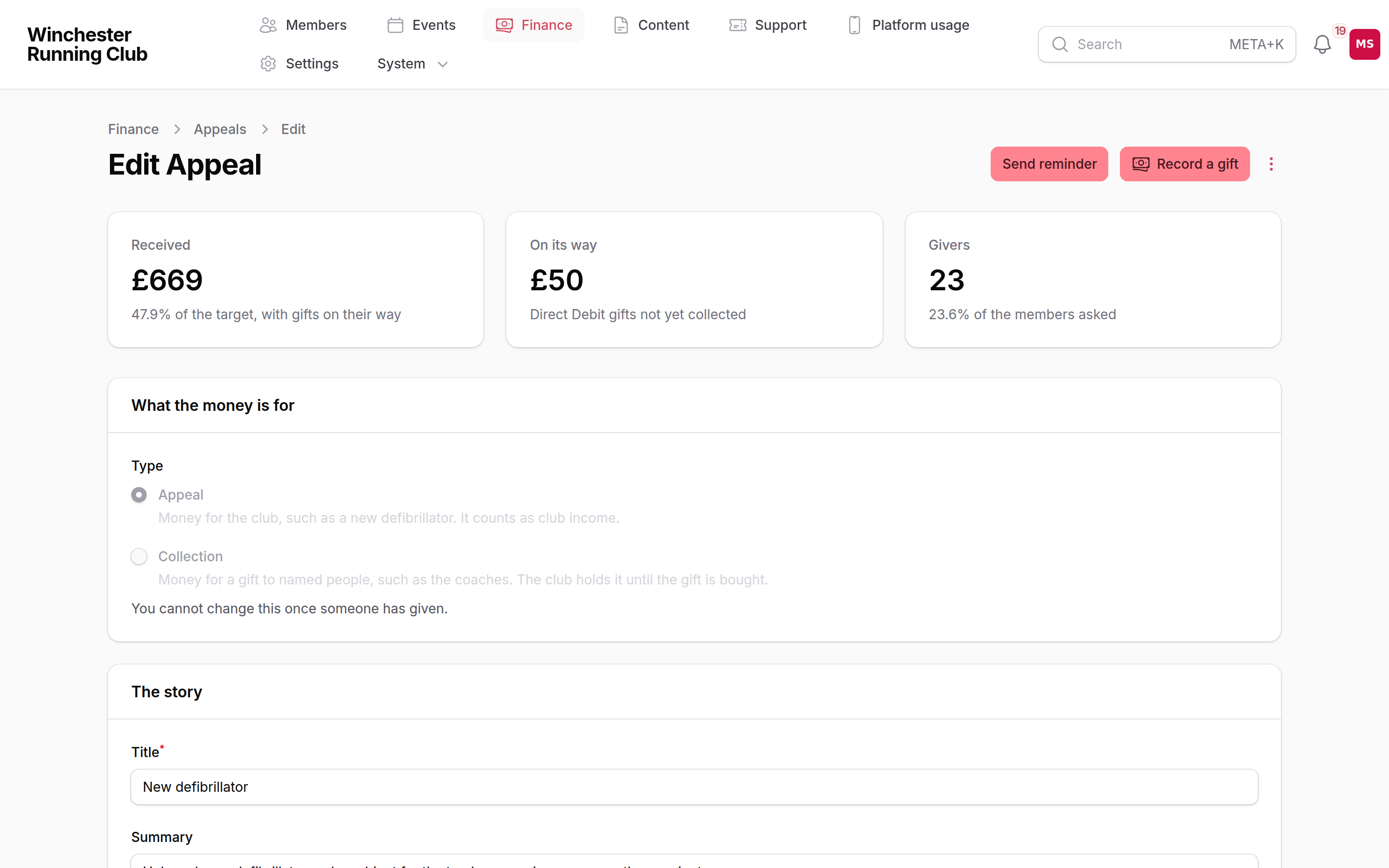
There are two kinds of appeal. You choose the kind first, and you cannot change it after someone gives.
| Kind | Use it for | Where the money goes | Who sees it |
|---|---|---|---|
| Appeal | Something for the club: a defibrillator, a gazebo, junior kit | Club income, under Donations by default | Members, and the public if you choose |
| Collection | A gift to named people: the coaches' presents, a leaving gift | Held for collections, until you buy the gift | Members only. You choose who to leave out, and their household with them. A collection has no target and shows no total |
A collection's money is not club income. It goes to Held for collections on the statement, and it stays out of the income on the Finances report, so the club's accounts do not show a present for the coaches as income. When you buy the gift, file the cost against Held for collections to clear it.
Only the person who pays for a household is asked to give. A junior with their own login does not see the appeal, and an appeal for the junior squad goes to the juniors' parents. In a household with no one set to pay, each member gives for themselves. A member who has resigned or died is never asked.
Every gift is a small invoice. It goes through the same payments as membership and event entries:
- A member with a working Direct Debit gives against it. GoCardless emails them before it collects the money.
- Anyone else pays by bank payment, which they approve in their banking app.
- A member cannot choose to pay a gift by bank transfer or cash in the app. When the money arrives, record it yourself.
- Card is offered beside bank payment, if your club takes card payments.
- You record cash and bank transfers yourself.
RunClub HQ takes no fee from gifts. The payment provider's own fee still applies.
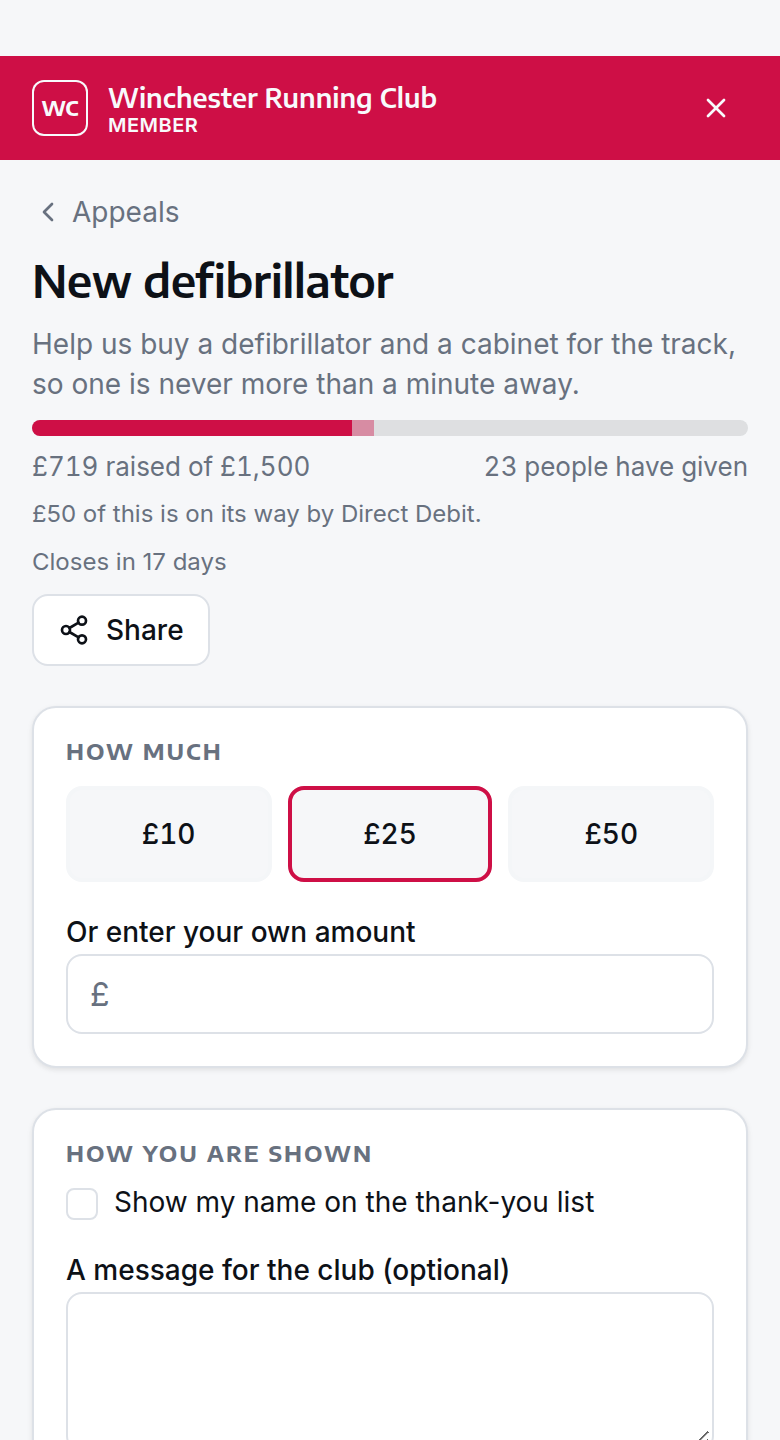
A Direct Debit gift counts as on its way until GoCardless collects it. The progress bar shows it in a lighter colour. If a Direct Debit fails, the gift comes off the total.
A gift that nobody pays for is not a debt. If a member leaves the payment page without paying, the gift is never overdue and you cannot collect it. After a day it shows as Not given.
To give money back, refund the payment in Finance → Payments. The refunded amount comes off the appeal's total. A part refund takes off only that part.
Set it up
- Open Settings → Club features.
- Switch Fundraising on.
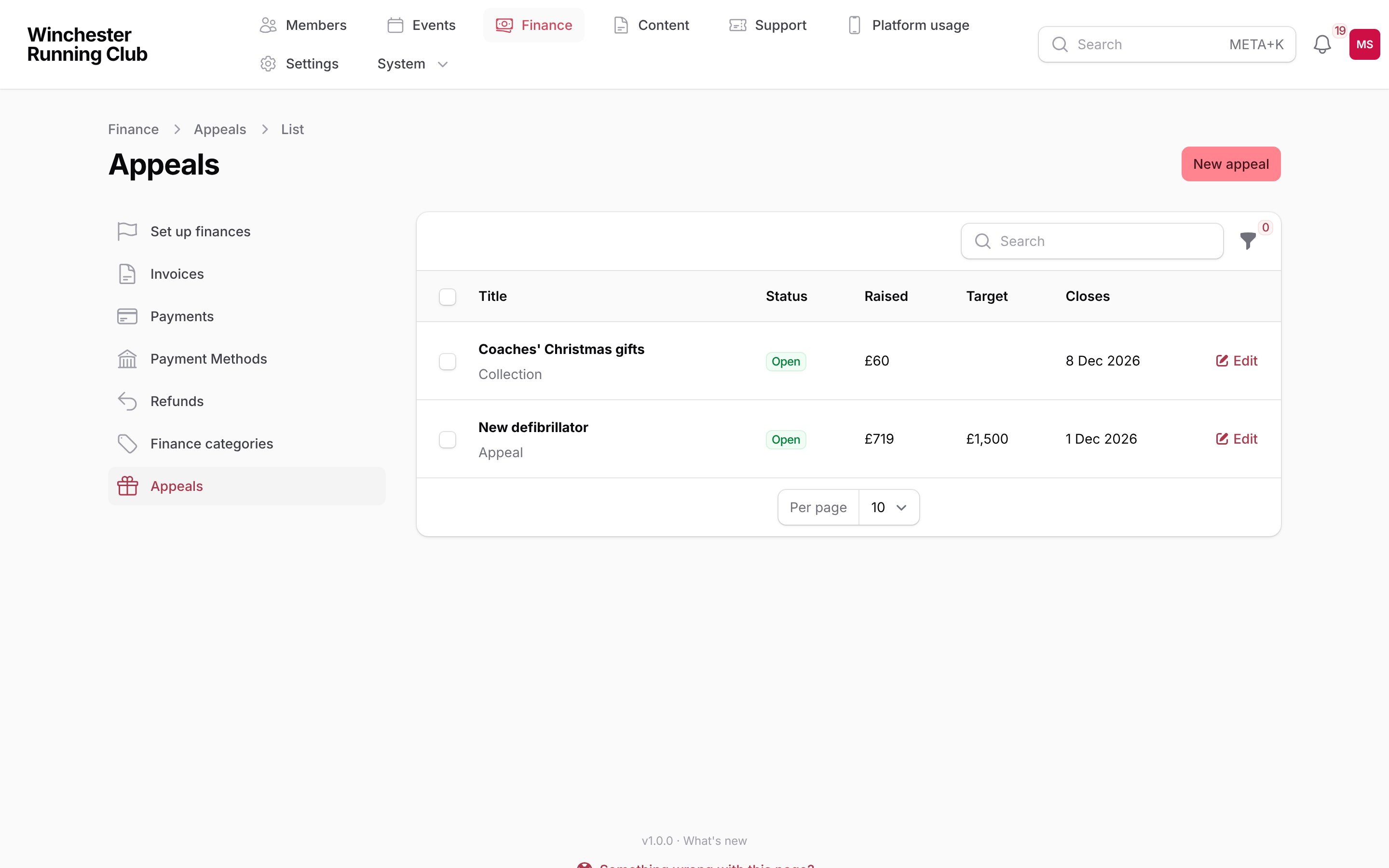
- Open Finance → Appeals.
- Choose New appeal.
The form has six parts:
- What the money is for: choose Appeal or Collection.
- The story: the title, a short summary, the full story, a picture and a thank-you message. Members see the summary on their dashboard and in the invitation email.
- Amounts: up to six suggested amounts. Add a line to say what each amount pays for, such as "Pads for a year". Choose whether people can give their own amount. An appeal can have a target. A collection never has one.
- Who can give, and what they see: members only, or members and the public. For a collection, use Leave these people out for the people the gift is for. They never see the collection and are never emailed about it.
- Dates: when the appeal opens and closes. For a collection, close it a week before you buy the gift.
- Books and Gift Aid: the finance category for an appeal, and Gift Aid if your club claims it.
An appeal starts as a draft. Members cannot see a draft.
Run an appeal
Open it
Choose Publish on the appeal. Members can give as soon as you publish. Nobody is emailed yet.
Members will be emailed
Send invitation emails every member the appeal is for. You can send it once. If a send stops part way, choose Send invitation again. It reaches only the members the first send missed.
Choose Send invitation. The confirmation says how many members it reaches, and how many people you left out.
Send a reminder
Choose Send reminder. The confirmation says how many members it reaches. The reminder goes only to members who have not given yet. You can send one reminder.
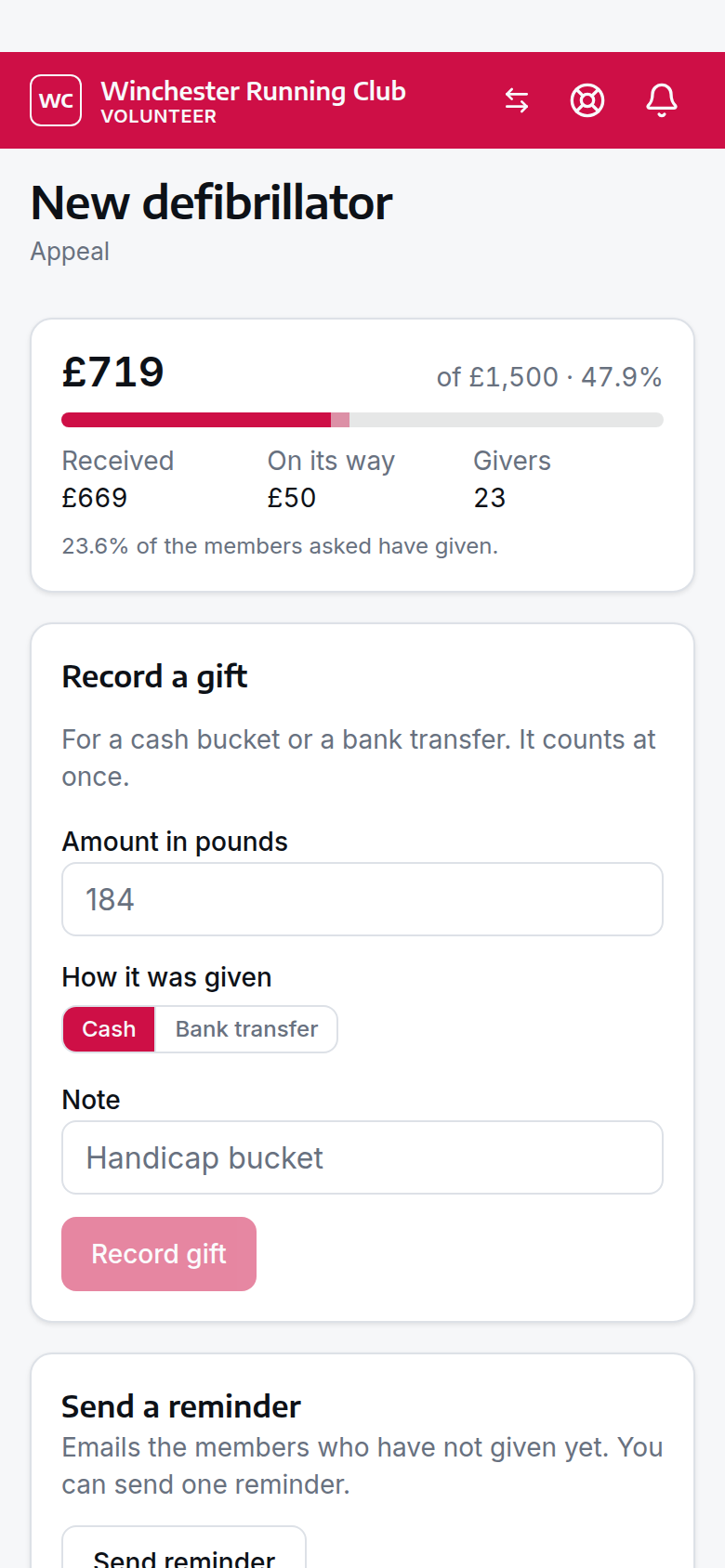
Record cash or a bank transfer
Use this for a cash bucket at a race, or for a transfer someone tells you about.
- Choose Record a gift.
- Enter the amount.
- Choose Cash or Bank transfer.
- Choose the giver, or leave the giver blank for a bucket.
- Choose Submit.
The gift counts at once. It is booked to the appeal's finance category as a manual entry.
Take back a cash gift
If you recorded the wrong amount, or recorded a gift against the wrong appeal, take it back and record it again.
- Open the appeal's Gifts list.
- Choose Take back on the gift.
- Choose Confirm.
The gift comes off the total, and its entry in the books goes with it. You cannot change or delete that entry in Finance on its own.
Approve messages
A giver can leave a short message. Nobody else sees it until you approve it. Open the appeal's Gifts list. Choose Approve message or Hide message. Messages are never shown on a collection.
Weekly summary
While an appeal or collection is open, each Club Admin and Treasurer gets an email each Monday. It says what came in over the week, the total so far and how many messages are waiting. No email is sent in a week with no gifts and no messages.
Close it
Choose Close. Nobody can give after you close it. Direct Debit gifts already on their way still arrive. An appeal also closes at its closing date. If you ticked Close when the target is reached, it closes when the money received reaches the target.
See who gave
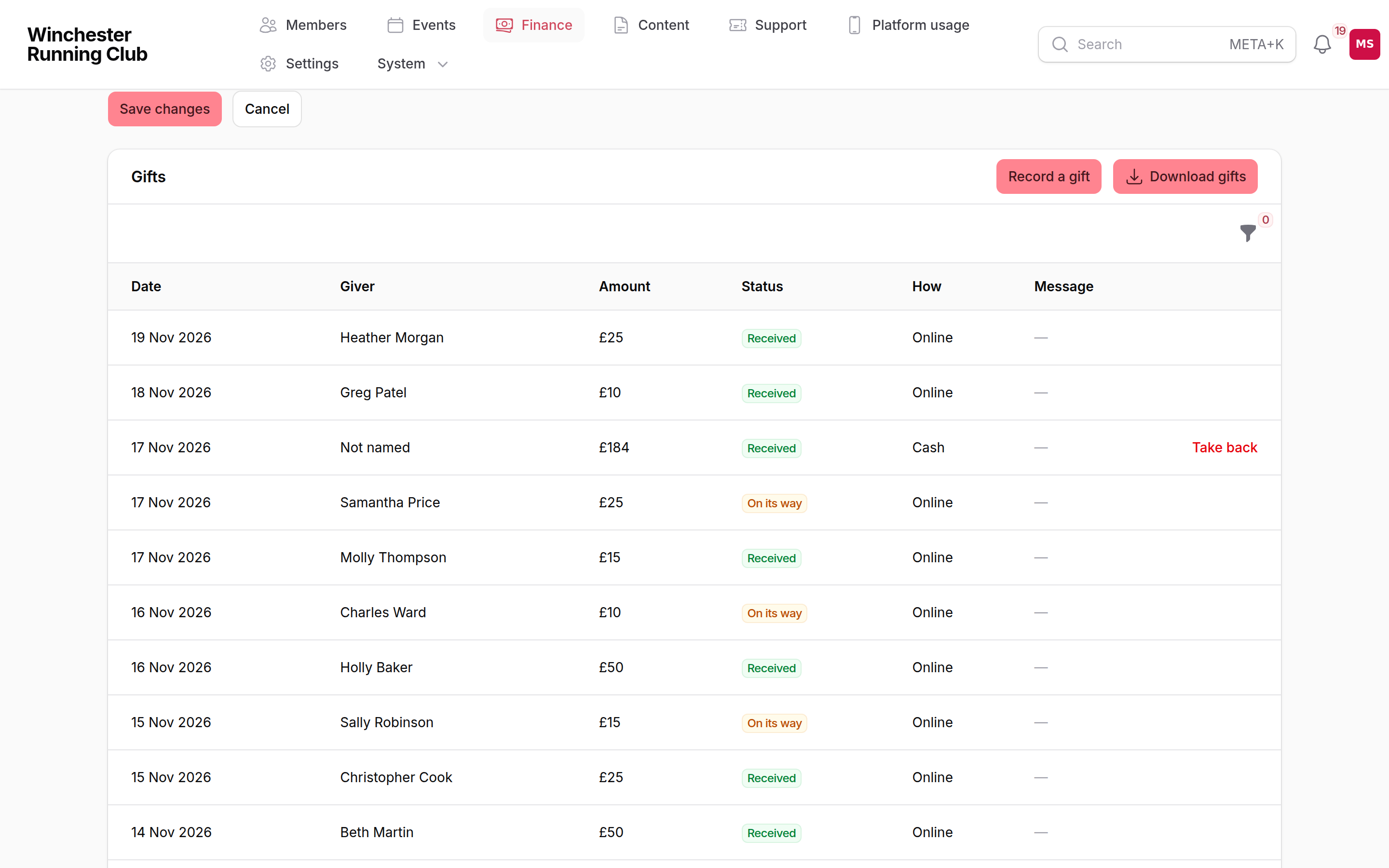
The Gifts list on the appeal shows each gift, its amount, how it was paid and its status. Only a Club Admin or a Treasurer sees it. Choose Download gifts for a spreadsheet.
From the console
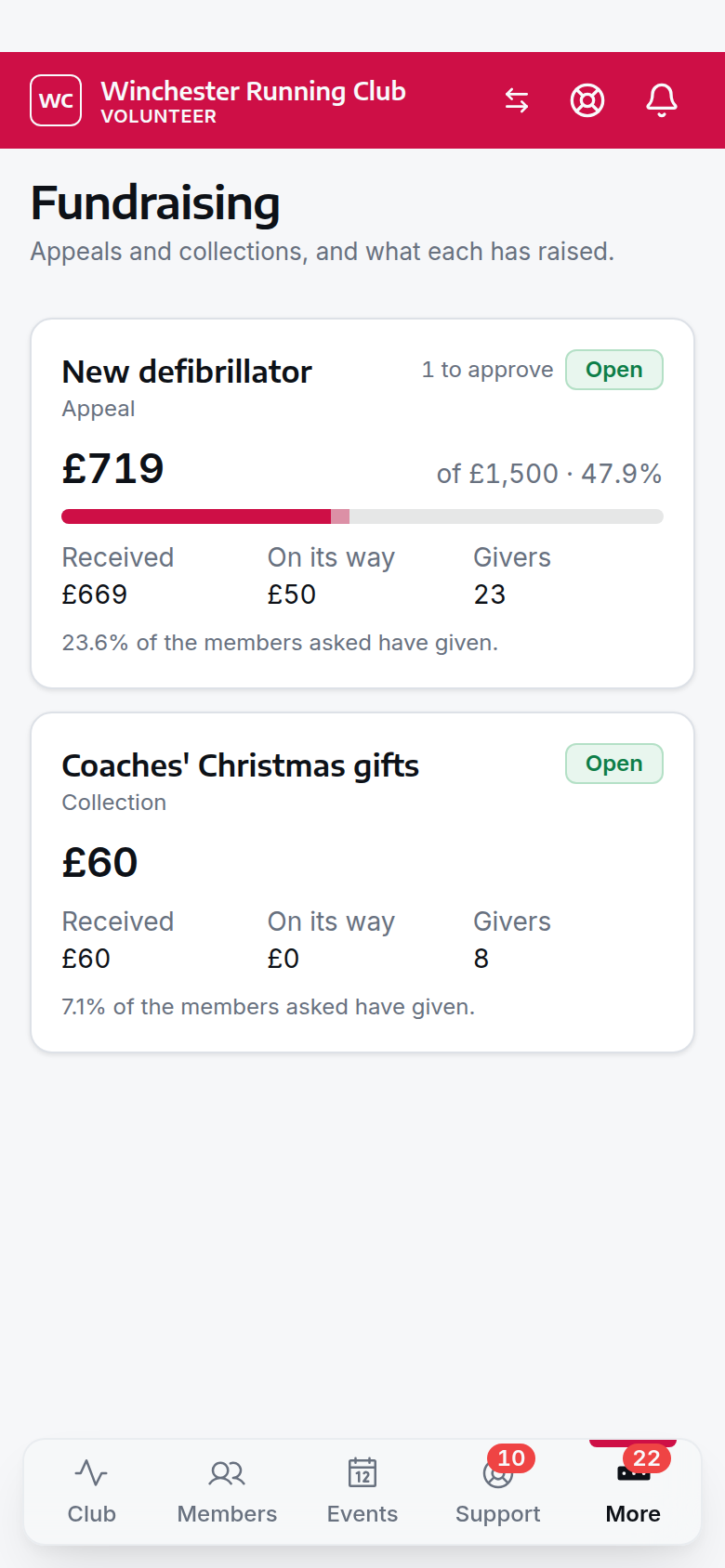
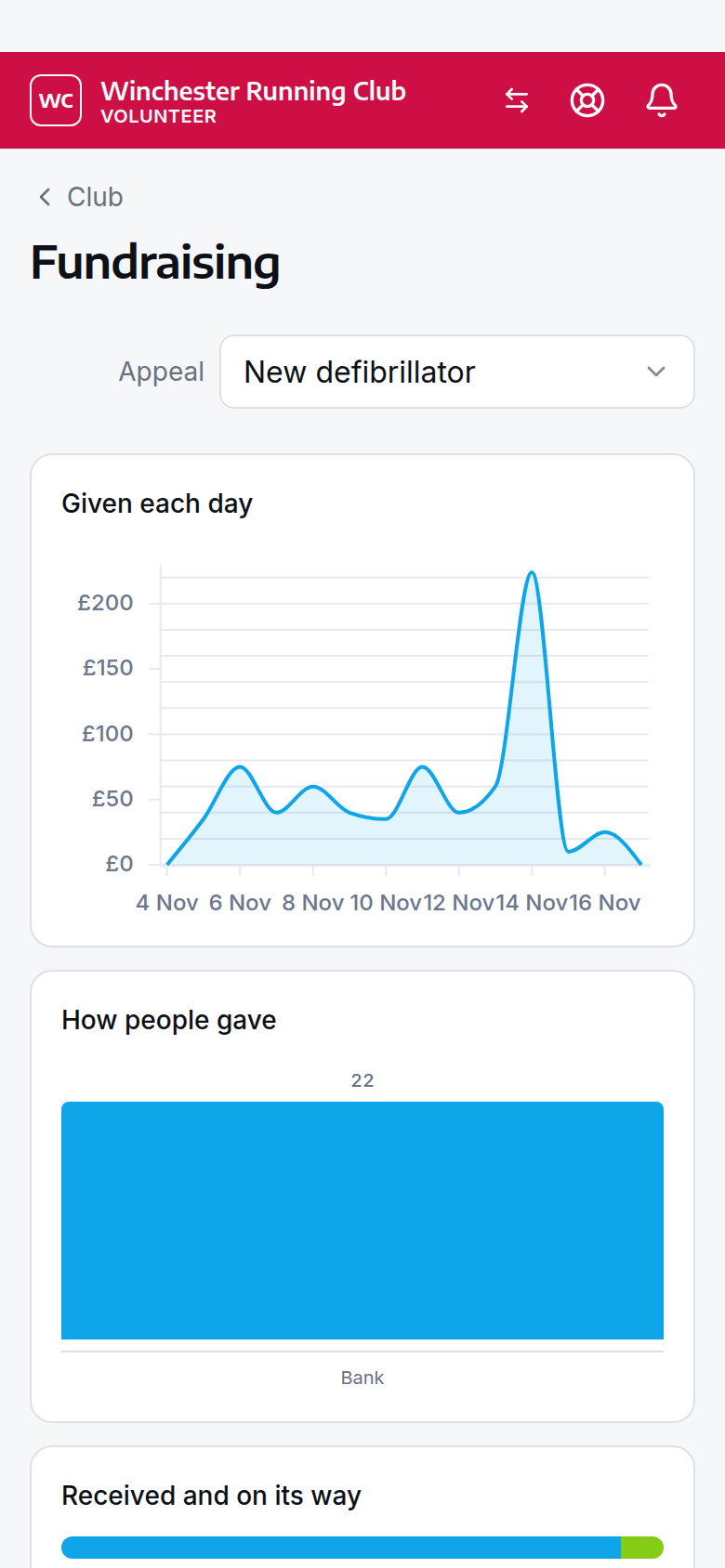
The Fundraising section of the volunteer console holds the jobs you do on a phone between sessions. It shows each appeal with its total, the money on its way, the target and how many people gave. Open an appeal to record a gift, take back a gift recorded by mistake, send the reminder or approve messages.
Club at a Glance shows a Fundraising card while an appeal is open. Its figure counts appeals only, never a collection. Open it for the last 14 days of gifts and how people paid. Only a Club Admin or a Treasurer sees the card. Gifts are not in the Revenue figure.
Set up and edit appeals in the admin panel, not the console.
On the club website
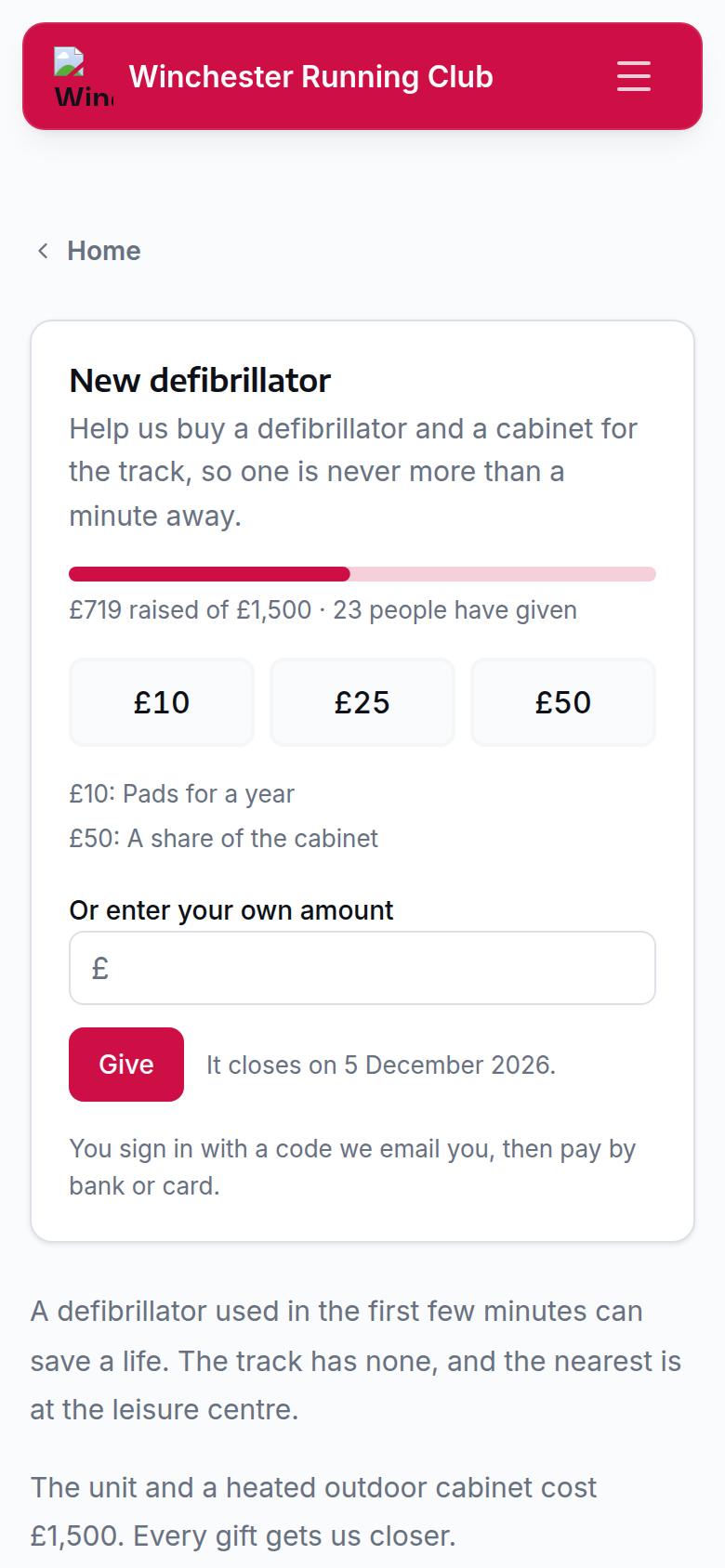
An appeal open to the public has its own page on your club website, at /support/ followed by its name. It shows the story, the total if you show it, the suggested amounts and a box for the giver's own amount. To put the appeal on another page, add an Appeal section to that page.
Someone who is not a member signs in with a code we email them, and then gives in the member app. A collection and a members-only appeal never appear on the website.
Gift Aid
If your club is a Community Amateur Sports Club (CASC) or a charity, it can claim Gift Aid on gifts to an appeal. Gift Aid adds 25p to every £1 that a UK taxpayer gives. It never applies to a collection, and never to membership fees.
- Open Settings → Gift Aid.
- Switch Claim Gift Aid on appeals on.
- Enter the club's registration, its HMRC charities reference and the name on the declaration.
- Confirm that you have read HMRC's rules for Gift Aid.
- Open the appeal.
- Switch Offer Gift Aid on.
A giver who adds Gift Aid agrees to HMRC's wording and gives their name and home address. The declaration covers this gift, their gifts in the past four years and their future gifts. They can cancel it from Profile → Appeals.
To claim:
- Open the appeal's Gifts list.
- Choose Download Gift Aid claim. The spreadsheet has the columns of HMRC's Charities Online schedule.
- Make the claim with HMRC.
- Choose Mark Gift Aid claimed.
- Enter the HMRC claim reference.
The next download leaves out the gifts you marked. Before you confirm, check that the number of gifts and the total match your claim. The club makes the claim to HMRC itself, and keeps each declaration for six years.
If you refund a gift after you claimed its Gift Aid, take it off your next claim. Choose Download refunds after Gift Aid claim for the list.
Small donations
A CASC or a charity may be able to claim a top-up on cash gifts of £30 or less with no declaration, under the Gift Aid Small Donations Scheme. Choose Download small donations summary for the cash gifts of £30 or less that you recorded. A bank transfer does not count. Check the scheme's limits with HMRC before you claim.
Check with your treasurer or accountant
HMRC decides what counts as a gift. A gift that gets the giver something in return may not qualify.
What members see
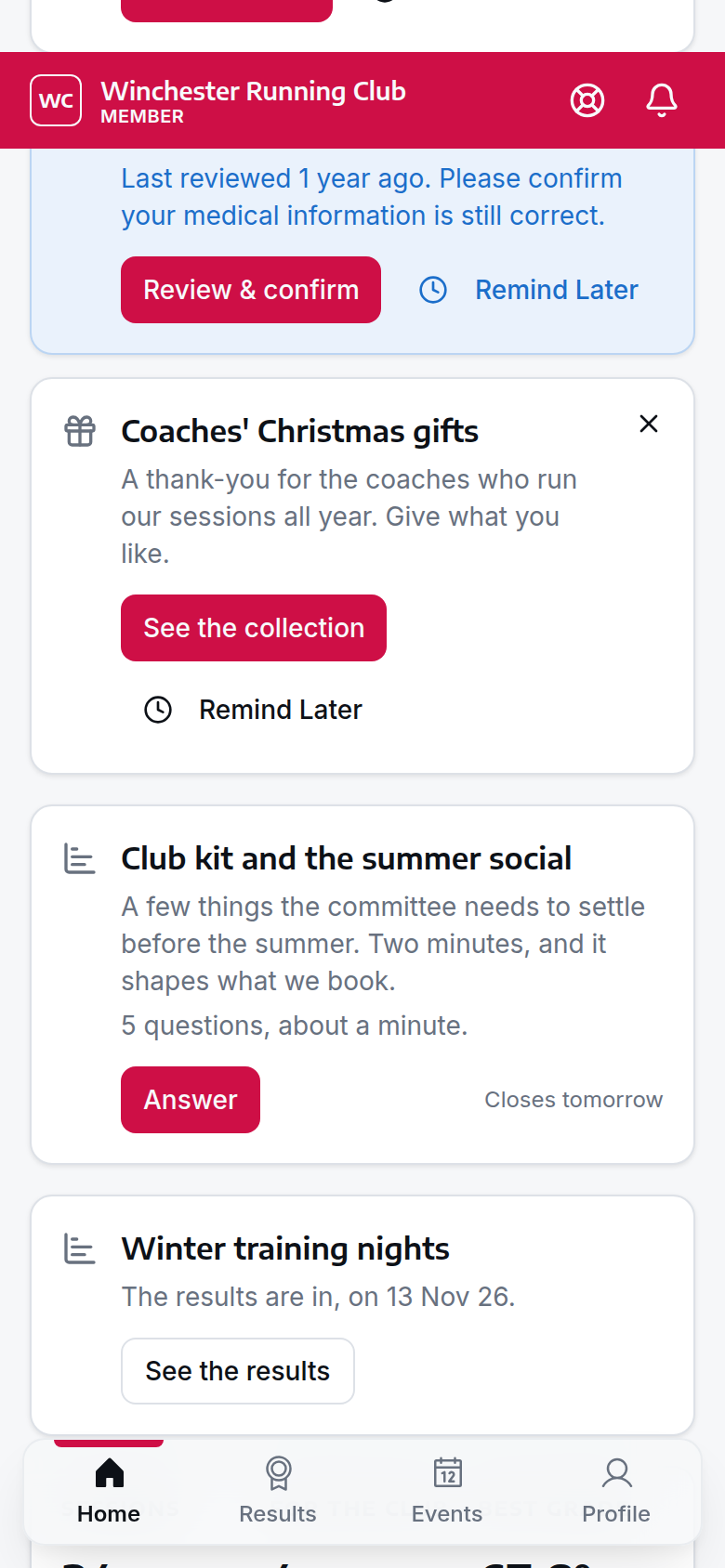
A member sees the newest open appeal in Needs you on their home screen, until they give. See the appeal, or See the collection, opens its page. The member can close the card, or choose Remind Later to see it again in a week. If they close it, the next open appeal takes its place.
On the appeal's page, the member chooses an amount or enters their own, chooses whether to show their name on the thank-you list, and pays.
They get a receipt by email when the money arrives.
Members find every open appeal, and their own gifts, under Profile → Appeals. The give page and the Appeals page have Get help with this, which opens help articles on how giving works and on Gift Aid. A member who still has a question can message the club from the article.
Settings
| Setting | What it controls | Default | Where |
|---|---|---|---|
| Fundraising | Whether the club uses appeals at all | Off | Settings → Club features |
| Donations | When card is offered beside bank payment for a gift | Equal choice | Settings → Payments → How members can pay |
| Claim Gift Aid on appeals | Whether givers are asked to add Gift Aid | Off | Settings → Gift Aid |
Troubleshooting
A member cannot see the appeal
Check that the appeal is published and that its opening date has passed. Check that the member is in Members to ask. A member you left out of a collection never sees it, and neither does their household. Only the person who pays for a household sees an appeal.
A member says the app will not let them pay
If the club does not take payments in the app yet, the appeal says so in place of the payment form. Set up payments in Settings → Payments, or record the gift yourself as a bank transfer.
The total did not go up after a gift
A Direct Debit gift shows as on its way until GoCardless collects it, which takes a few working days. A gift whose payment was not finished does not count.
Offer Gift Aid is not on the form
Gift Aid shows only after you set it up in Settings → Gift Aid, and only on an appeal. A collection never offers it.
I cannot change the amounts
The kind, the amounts and the finance category lock once someone gives. Close the appeal and start a new one if you need different amounts.