
Appearance
Connect GoCardless
Direct Debit is the payment method we recommend — a member sets up a mandate once, and every future charge collects itself, with no card to expire and no link to click. Connecting it is something we do with you: your club opens its own GoCardless account, and GoCardless itself verifies it before it can start collecting.
Who: Club Admin. Where: the admin panel, Settings → Payments. Takes: about 5 minutes to start; verification itself can take a few days.
Before you start
Have to hand: a UK bank account for receiving payments, your club's business registration details (name, address, registration number), and proof of identity for whoever is verifying the account. Start this well before you plan to take your first payment — GoCardless's own verification is what takes the time, not anything on our side.
Steps
- Open Settings → Payments.
- Click Connect to GoCardless. A window opens explaining what GoCardless gives you and what you'll need.
- Choose how you're connecting:
- I'm new to GoCardless — creates a new account with your club's details pre-filled.
- I have a GoCardless account — sign in and authorise RunClub HQ against it.
- You're taken to GoCardless to finish authorisation, then back to your club's Settings → Payments.
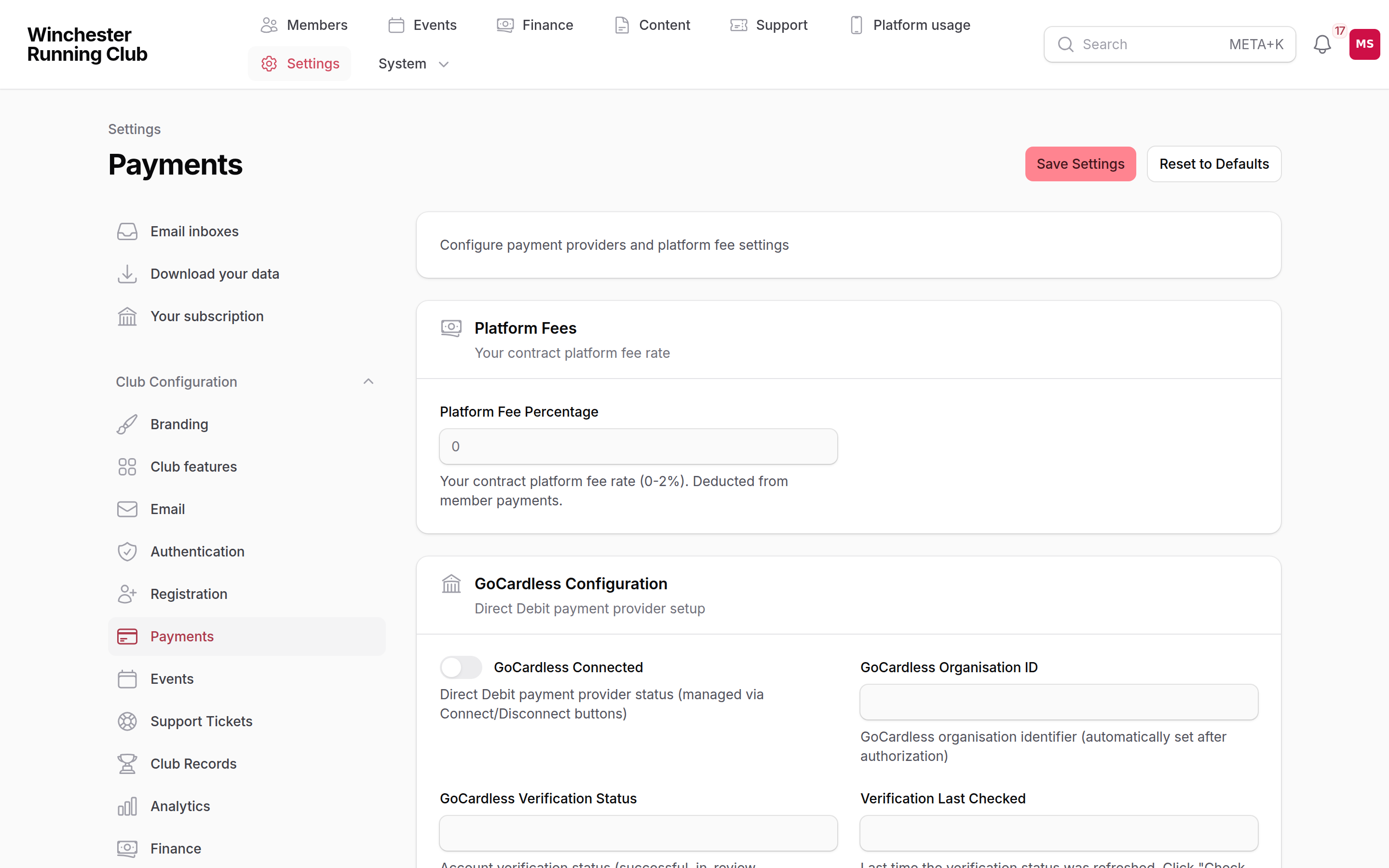
GoCardless connection status, the platform fee, and the manual payment switches
What happens next
- GoCardless verifies your account, which can take a few days. Check Verification Status on the same screen tells you where it's up to.
- Nothing is collectable from members until verification succeeds — Direct Debit stays hidden as a payment option to members until then, with no error shown to them in the meantime.
- Once verified, turn on Enable Success+ (Smart Retry) if you want GoCardless to retry a failed collection automatically, and Enable Protect+ (Fraud Protection) for its mandate verification and fraud checks — both are GoCardless features, switched on from this same screen.
- Nothing is written to a member's record and no email goes out at this stage — this is a club-level connection, not something that touches an individual member until they set up their own mandate.
Importing your existing mandates
If your club was already collecting Direct Debit through GoCardless before joining RunClub HQ, you don't need to know anybody's mandate or customer details by hand. Once GoCardless is connected, open Settings → GoCardless import and click Import from GoCardless.
We read every mandate already on your account in the background, and match each one to a member by their email address or name.
- A confident match creates that member's payment method straight away — nothing more for you to do.
- Anything we can't be confident about is listed on the same page for you to sort out: Match to member if you can tell who it is, or Skip with a reason if it isn't one of your members. A skipped mandate isn't offered again.
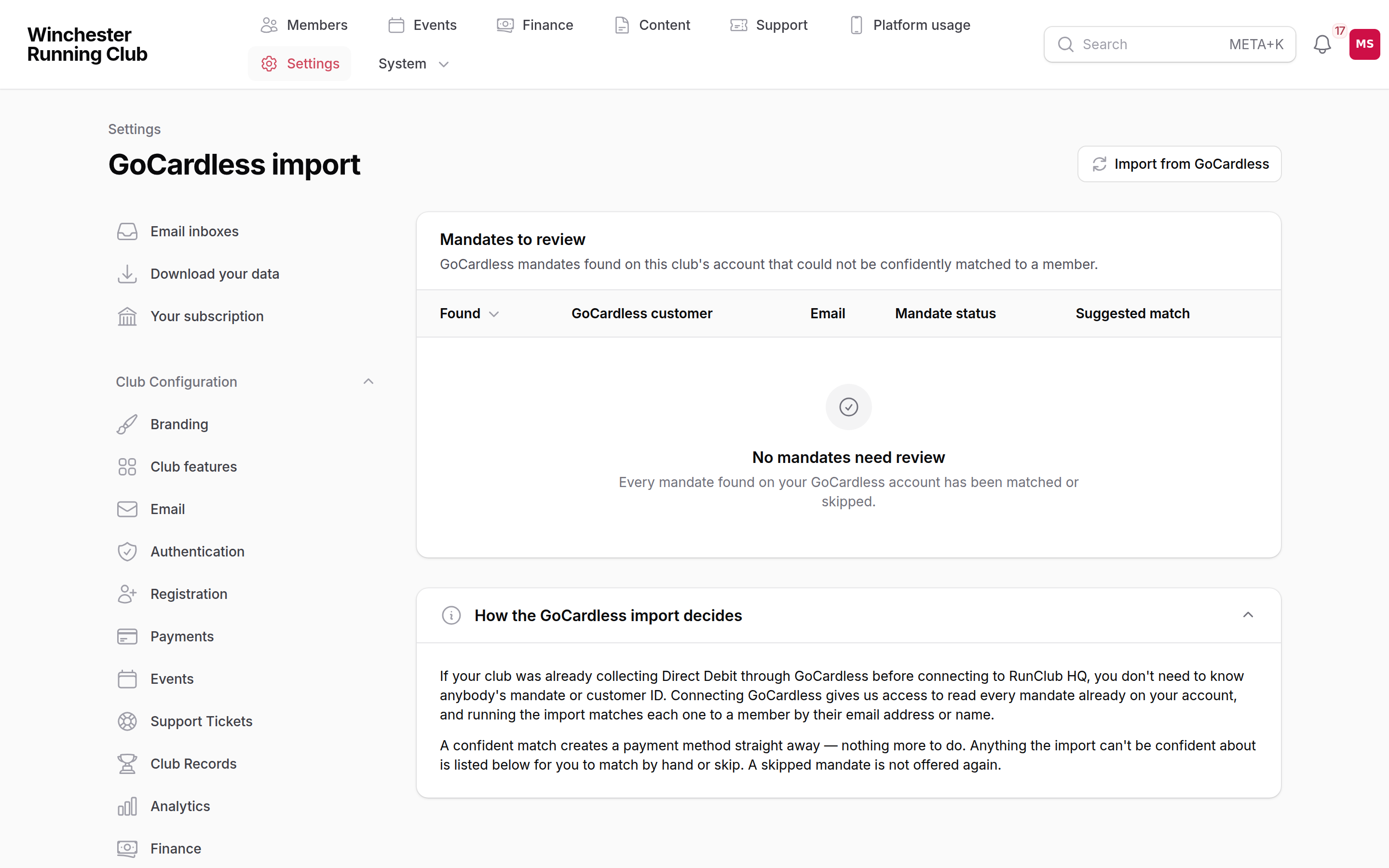
The suggested match shown on one row, and the Match to member / Skip actions
Settings → GoCardless import only appears once GoCardless is connected — there's nothing to import before then.
If it does not work
Verification is stuck on "in review"
That's GoCardless working through it, not something gone wrong on our side. Give it a few more days; Check Verification Status re-checks rather than assuming.
Verification says "action required"
GoCardless needs something more from you — usually a document or a detail it couldn't confirm automatically. Sign in to your GoCardless dashboard directly to see what it's asking for; we can't see the detail from here.
I need to disconnect and start again
Disconnect GoCardless appears once you're connected. It asks you to confirm, and warns that it will prevent you accepting Direct Debit payments from that point — any mandates already in place stop being usable through the club until you reconnect.
I set this up but members still can't pay by Direct Debit
Check verification actually completed — a connected-but-unverified account doesn't offer Direct Debit to members yet. See Payments → Setting up for how the other providers fit alongside it.
See also
- Payments and invoices — the full picture: bank transfer, cash, invoices and refunds
- Going live — deciding how you'll take money before launch