
Appearance
The help library
This page is for you: what your members read before they message you, where it comes from, and how to add your club's own answers. Members read the library itself, not this page — open Help in the app to see what they see.
Who can do this?
Every member can read the help library. Writing your club's own articles needs Support → Help articles in the admin panel — see Roles & Permissions for who reaches Support.
What it is
Help is a member's third front door, after the app itself and messaging you directly: search, articles grouped by topic, then a way to message you if nothing answers it. A Get help button beside a field that's confusing — date of birth, an invoice, a household invitation — opens the article for that exact question, so a member never has to guess which topic covers it. Where there's no article for something, the same button opens a message to you instead, pre-filled with what they were looking at.
Every question a member asks you that an article could have answered is an evening a volunteer didn't get back.
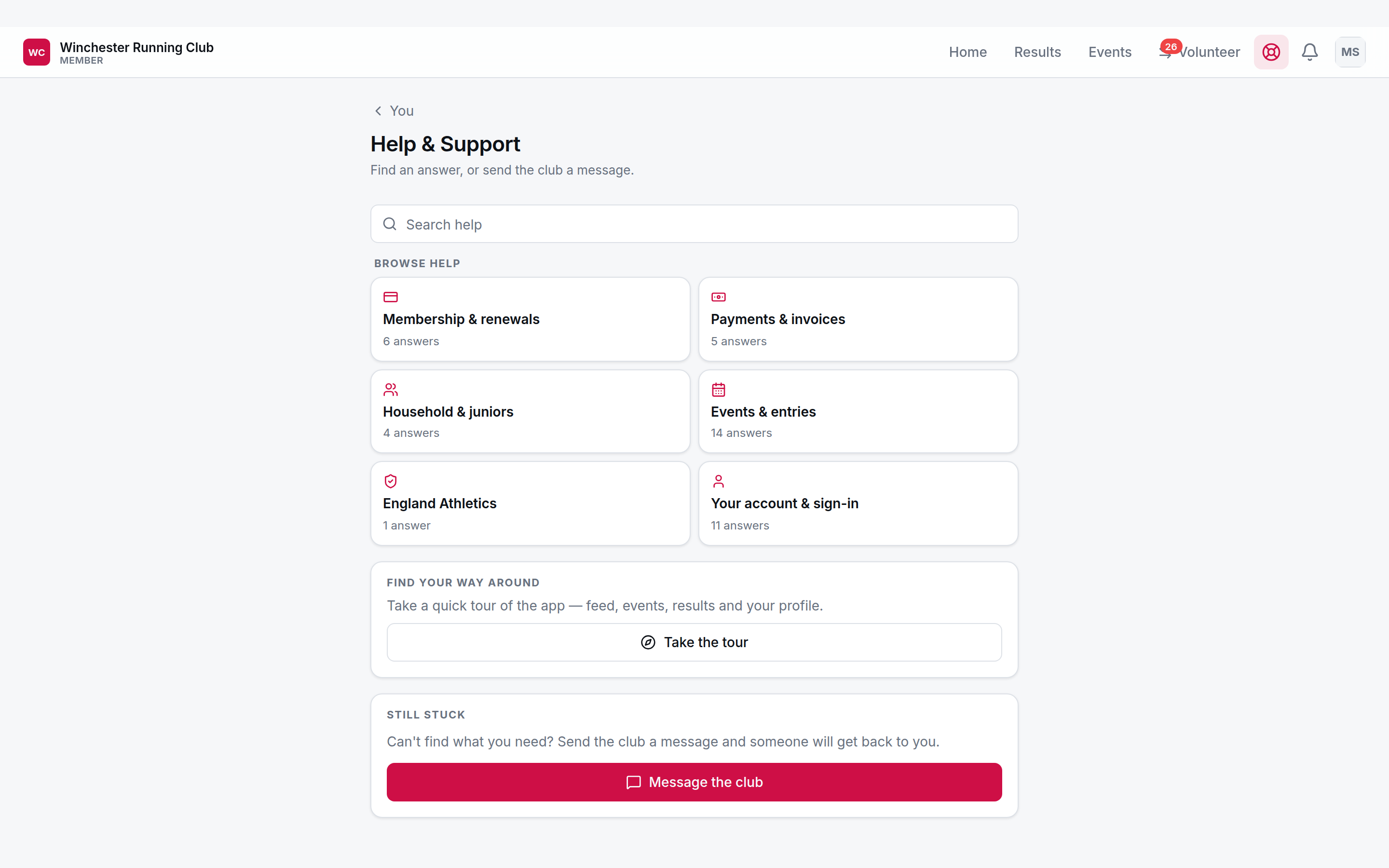
Search, open conversations, and the topic tiles
Where the articles come from
RunClub HQ writes and maintains a platform library — fourteen articles, one for every question the app can point a Get help button at, grouped into six topics:
| Topic | Covers |
|---|---|
| Membership & renewals | Joining, renewing, and the details we hold about you |
| Payments & invoices | Subscriptions, invoices, refunds and payment methods |
| Household & juniors | Family members, dependants and who manages them |
| Events & entries | Entering events, places, tickets and cancellations |
| England Athletics | Registration, URNs and competing affiliated |
| Your account & sign-in | Signing in, your email address and notifications |
Titles read as the question a member would actually type — "Why can't I change my date of birth?", "A payment failed — what happens now?" — because that's how members find them, by searching. Every club inherits all fourteen the moment it starts serving members; you do nothing to get them.
We write to three rules, because one article serves every club on the platform:
- Only what's true everywhere. Your fees, your deadlines, your refund policy, whether a junior needs a parent present — that's your business, not ours, and a wrong answer is worse than none. Where it depends on your club, the article says so and points the member at you.
- No promises about response times. We don't commit your volunteers to a reply time we've never agreed with them.
- The title is the question, not a topic heading.
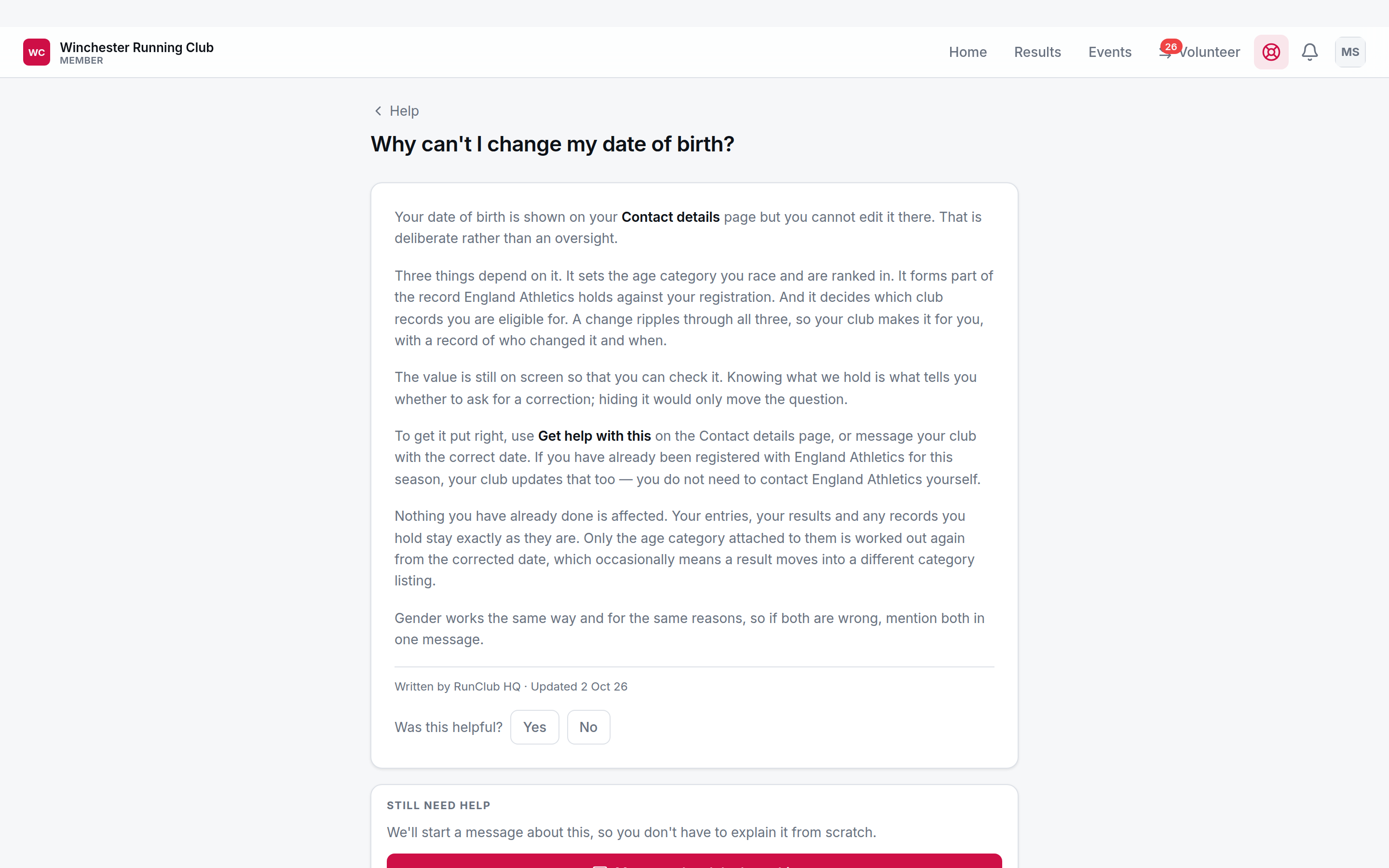
The answer, who wrote it, and the way through to a conversation
Writing your club's own
Support → Help articles lists every article your members can read — ours and yours together, so you see exactly what they see. A platform article is read-only there; choose Write our own version to copy it into your club, where you can edit it — the only way to change one. From that moment your members read your version and every "Get help" button that pointed at ours now finds yours automatically; other clubs keep reading the platform one, and deleting yours later brings the original back.
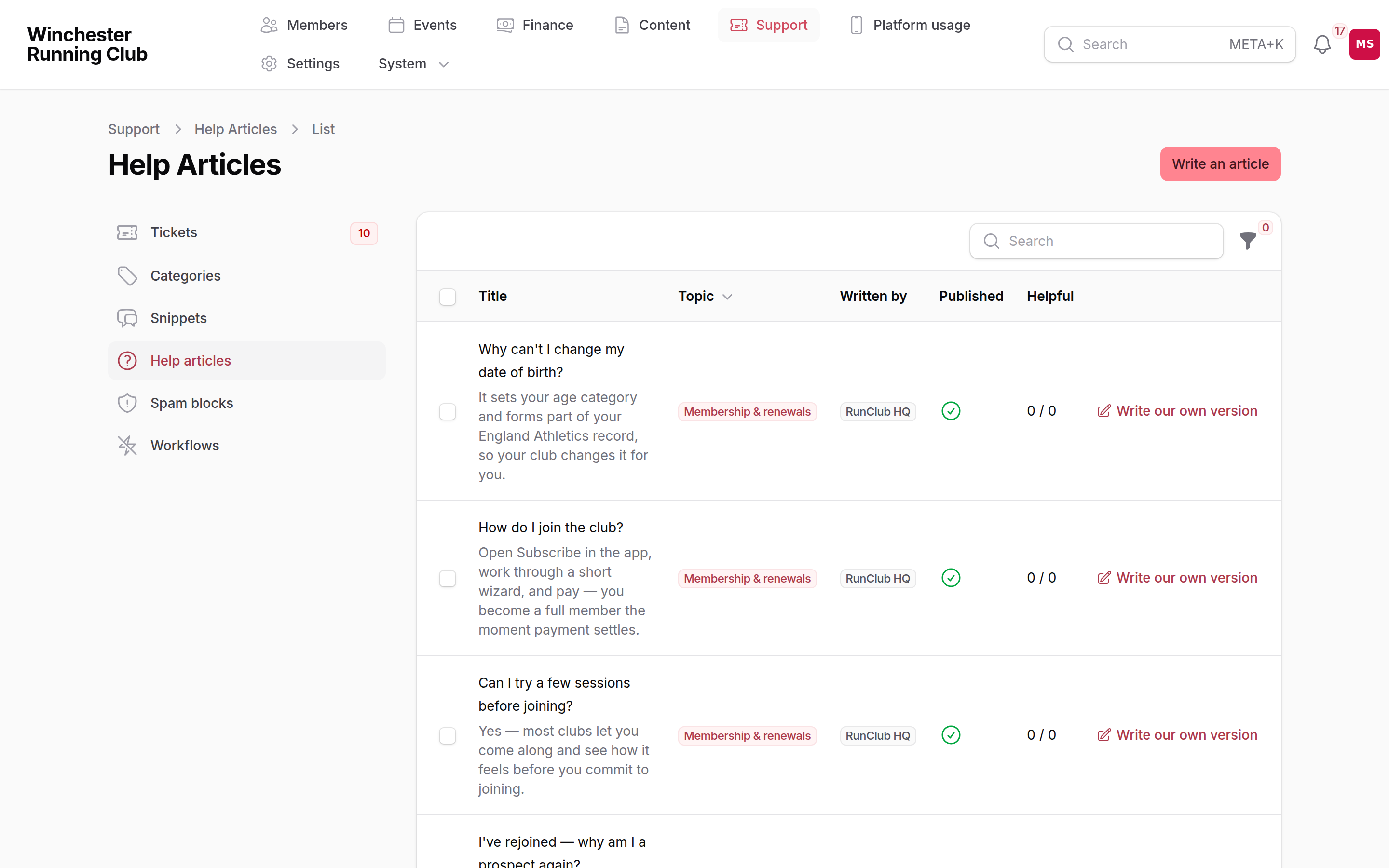
The platform library alongside a club's own overrides, with who wrote each one
A good article is four to seven short paragraphs of plain text — no headings, no list longer than six items, no images. Say what a member can do, what you do for them, and how to reach you if it doesn't answer it. It's exactly where to put what we can't say on your behalf: your fees, your deadlines, your refund policy, whether a junior needs a parent present.
Every article carries a helpful vote from the members who read it. Check it before you add or rewrite one — a platform article scoring badly at your club is often one your members would rather read in your own words, about your own club.
You can also read and write articles from a chat client connected through our automation tools — the same rules apply.
Conversations
When an article doesn't answer it, a member messages you — from Help, or straight from the article with Message the club about this. On your side, that's a ticket in your support inbox (see Support); the same thread, read from each side. Their word for it is conversation; yours is ticket.
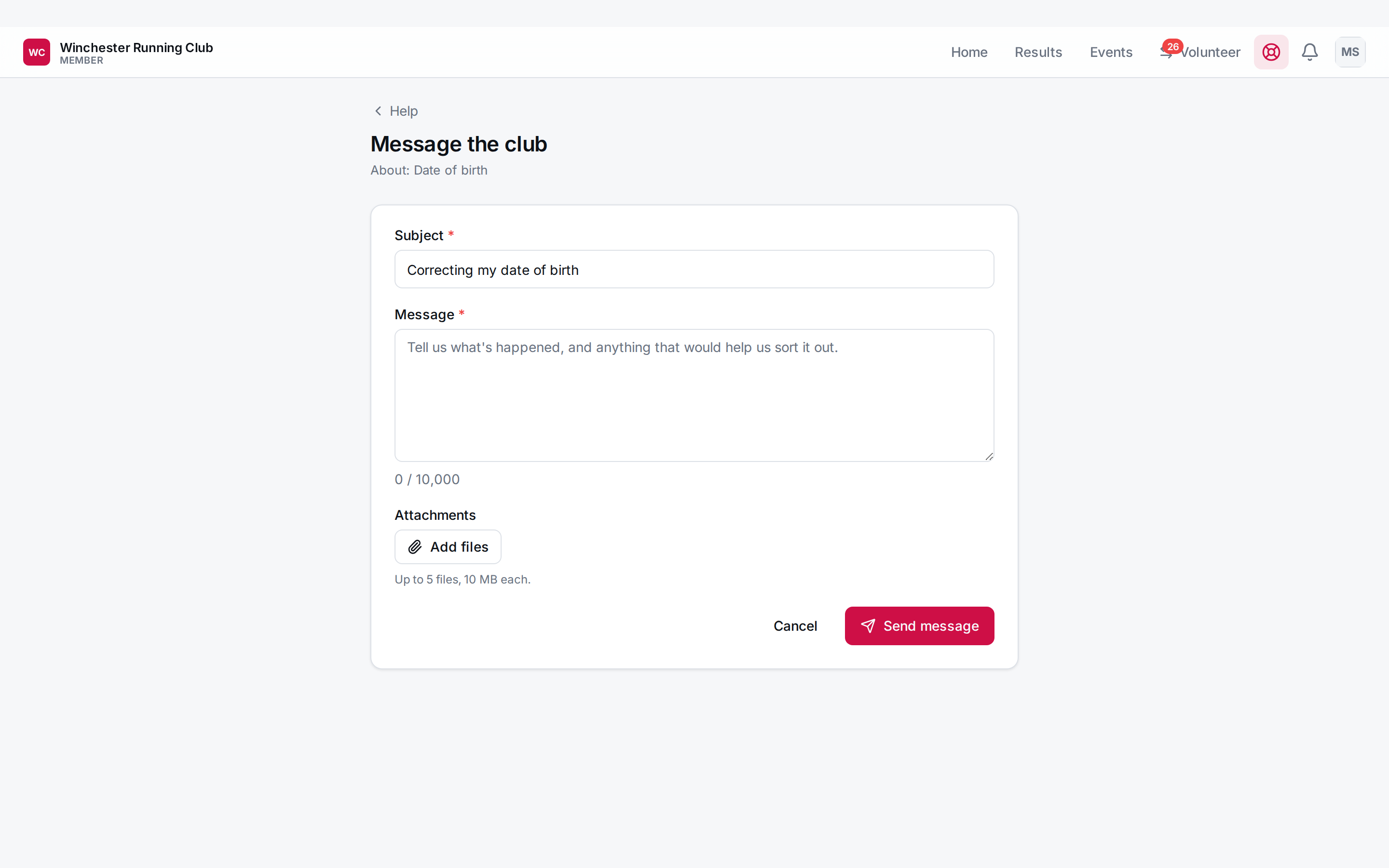
The composer, arrived at with its subject already filled in
Troubleshooting
Our override isn't showing
Check it's published — unpublishing hides your answer entirely rather than falling back to ours. And check it started life as Write our own version on the article it replaces, rather than a new one written from nothing — a fresh article answers its own topic tile, but it won't stand in for the platform one behind a Get help button.
A member can't find the help screen
It's the Help icon next to the bell, at the top of every screen in the app, and every Profile section links to it too.