
Appearance
Events
For Club Admin and Events Manager: everything from a weekly track session to a club-run race, run from the admin panel and the volunteer console. Events are one system with four different behaviours — the event kind you pick first decides what a member does and what you can configure, so the rest of this page follows from that one choice.
Who can do this?
Creating and editing events: Club Admin or Events Manager. Answering a member-added race: the same two roles. Clearing the results queue is a different job — see Reviewing results and records. Running check-in on the day: see Check-in. Members register, plan to attend, or add their own race from the member app.
How events work
Every event has an event kind. It is the single most important choice you make about an event: it decides how members take part, and which settings — registration, payment, capacity, waitlist — even exist. Pick it first, and the form only ever shows the settings that are legal for the kind you chose.
| Event kind | What members do | What you can configure | Examples |
|---|---|---|---|
| Attendance only | Turn up. Optionally add it to their calendar; attendance is recorded by check-in. | Recurrence, audience. No sign-up, payment, capacity or waitlist. | Weekly training runs, committee meetings |
| Registration required | Register in advance, for free. | Capacity, waitlist, registration open/close windows. | Capped hill sessions, socials with a headcount |
| Ticketed / paid | Register with payment, bringing guests if you allow it, and answer any questions you ask. | Everything Registration required has, plus member/non-member prices, guest limits and custom questions. | Club races, ticketed talks, dinners |
| External event | Mark that they plan to attend, then enter on the organiser's own site. | An external registration link and the organiser's name. No club registration, payment or capacity. | Other clubs' races, parkrun, county championships |
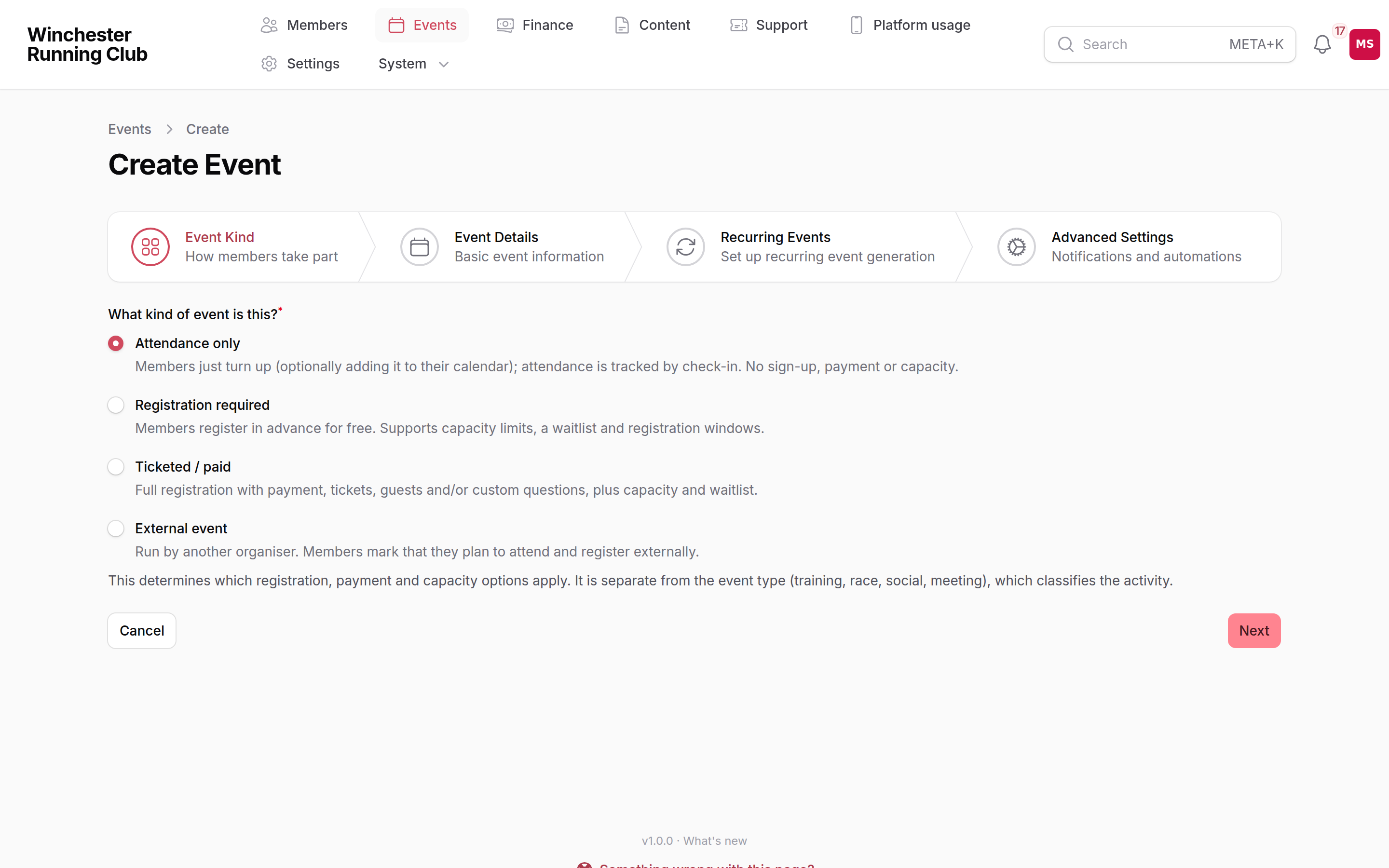
Choosing the event kind in the wizard's first step
TIP
Unsure which kind to pick? Start with Attendance only. Members turn up, nothing is asked of them beforehand, and it is right for most training sessions. Reach for the other kinds only when you need sign-ups, money, or a link to someone else's race.
Event kind vs event type
Two different things that are often confused:
- Event kind (Attendance only / Registration required / Ticketed / External) is the behaviour — how members take part, and which registration and payment settings apply.
- Event type (Training, Race, Social, Competition, Meeting, or one your club has added of its own) is the activity — what the event actually is. It drives race configuration and how the event is tagged and coloured around the site, not how sign-up behaves.
A club race is a Race (type) that is Ticketed (kind). A parkrun is a Race (type) that is External (kind). Pick the type for what it is, and the kind for how people take part.
Setting up event configuration
Before your first event, a few one-off decisions under Events → Event Configuration make the day-to-day quicker:
- Locations — search an address, drop a pin on the map, or use your device's current location. Precise coordinates matter for a start with no street address — a park entrance, a trail head. Two locations that turn out to be the same place can be tidied with Merge into….
- Courses — a named, measured route. Point several years of the same race at one course and members can compare their times on it year over year — see Results and club records for how a personal best on a course shows on a member's Results page.
- Categories — tag events (Road, Trail, Social, and whatever else your club runs) so they filter and colour correctly on the events pages.
- Groups — a series or league a race counts towards, such as a club handicap or an inter-club road race league. Give every season of a returning league the same Series key and members get a season switcher on its page.
- Audiences — a tag for who an event is aimed at (Adults, Juniors, U12, Women's), matched by age and gender. It is not a privacy setting: it is what puts the right sessions in front of the right member and helps check-in find the regulars for that slot, not a way to hide an event from anyone.
Creating an event
There are two ways in, and which one you reach for depends on how much the event needs.
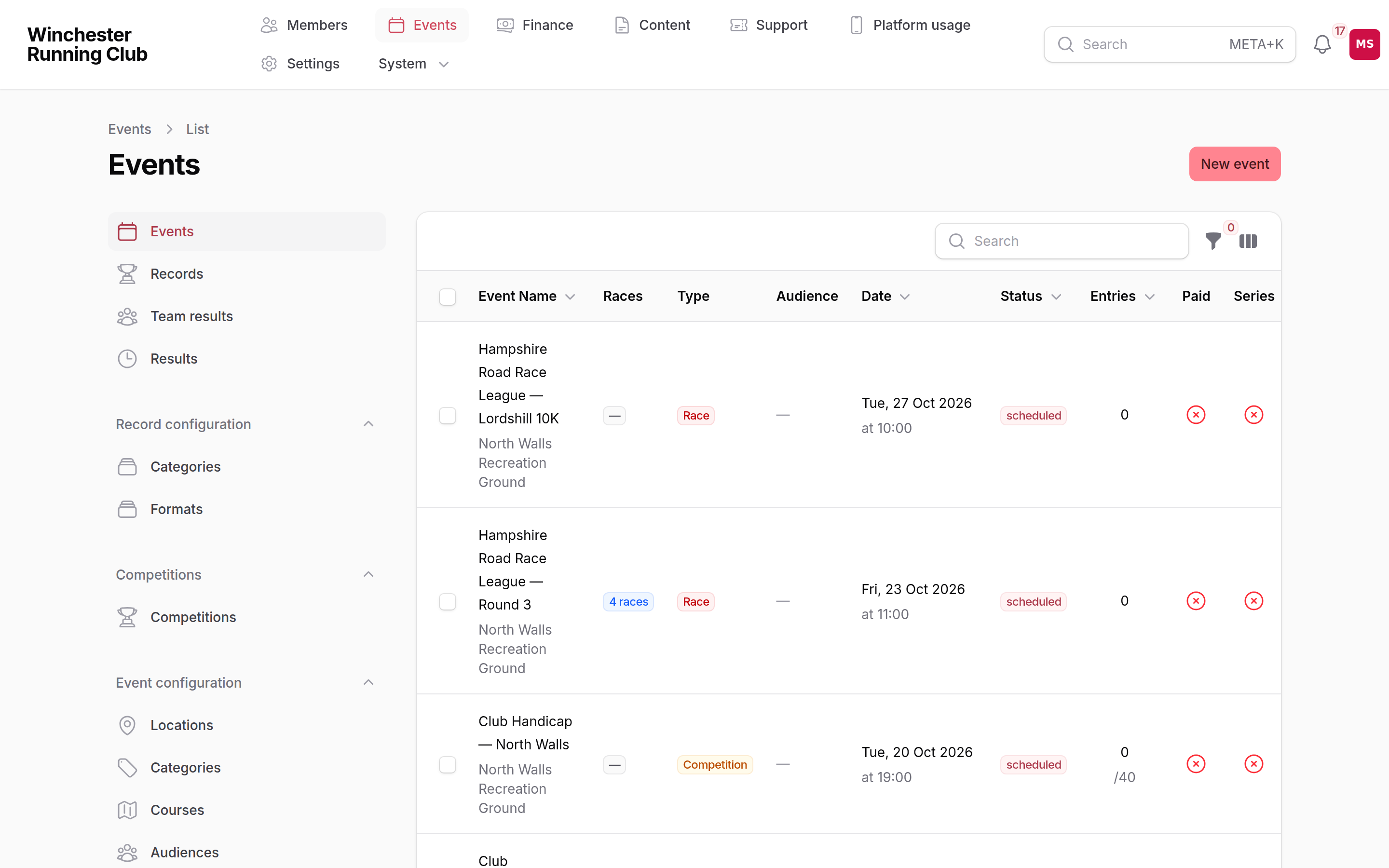
The events list in the admin panel
The volunteer console's New event form — at Events → New event in the volunteer console — is the fast path, built for a phone. Choose Attendance for a turn-up session, or Race to add someone else's race with an entry link and organiser name; either way it's saved in seconds. Anything that needs sign-up, payment or a capacity still goes through the wizard below.
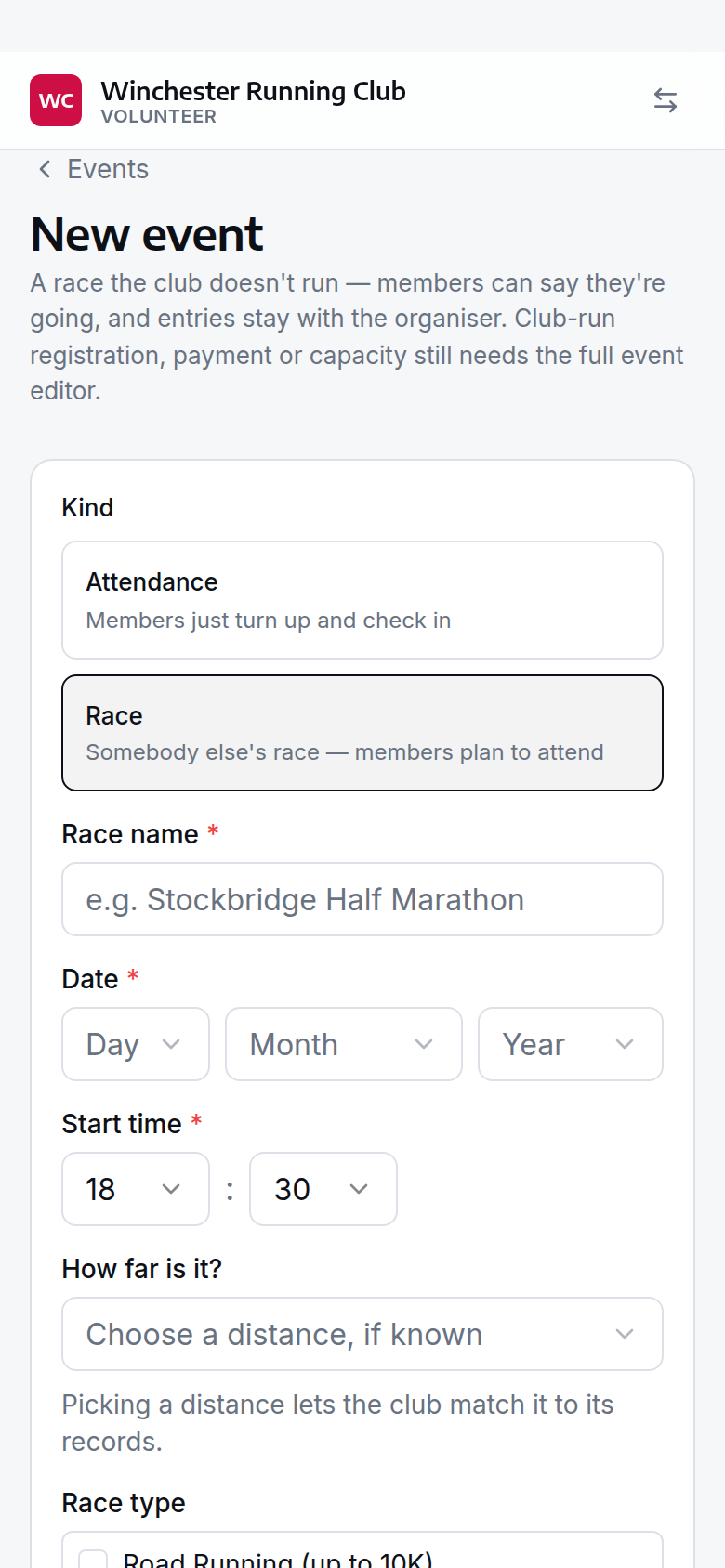
choosing Race on the console's New event form
The Advanced Event wizard — Events → New event in the admin panel — is for anything that needs sign-up, payment, capacity, guests, custom questions, or a recurring series. Event kind is step one, and your choice there decides which later steps you see:
- Event Kind — always shown.
- Event Details — name, type, description, date, time, duration, location; for an external event, the registration link and organiser's name.
- Race Configuration — only for the Race type: competition format (distance), categories, and the series or league it counts towards.
- Registration & Pricing — only for Registration required and Ticketed: registration open/close, capacity, waitlist; Ticketed adds payment, member/non-member prices and guests. Hidden entirely for Attendance only and External — neither holds club sign-ups.
- Registration Questions — Ticketed only: short text, long text, dropdown select and yes/no toggle questions, reorderable, each optionally required with its own help text.
- Recurring Events — optional, to turn the event into a series.
- Advanced Settings — confirmation and waitlist email toggles, auto-transition to In Progress, and the early-arrival window for check-in.
Once created, New from Template on any event's row pre-fills the wizard from it — including its kind — for a quick, independent copy.
Changing the settings a kind allows
Whatever a kind forbids is cleared automatically when you change it — a switch to Attendance only clears capacity, payment and waitlist settings, for instance — and you're always told which settings were cleared and why.
Fixtures: several races in one afternoon
For a cross-country match or a track meeting that holds several separate races, mark each race Part of a fixture on its own edit form and give it a Running order. Each race stays a real, independent event — its own entries, its own results — while the fixture page groups them together and rolls up their combined attendance.
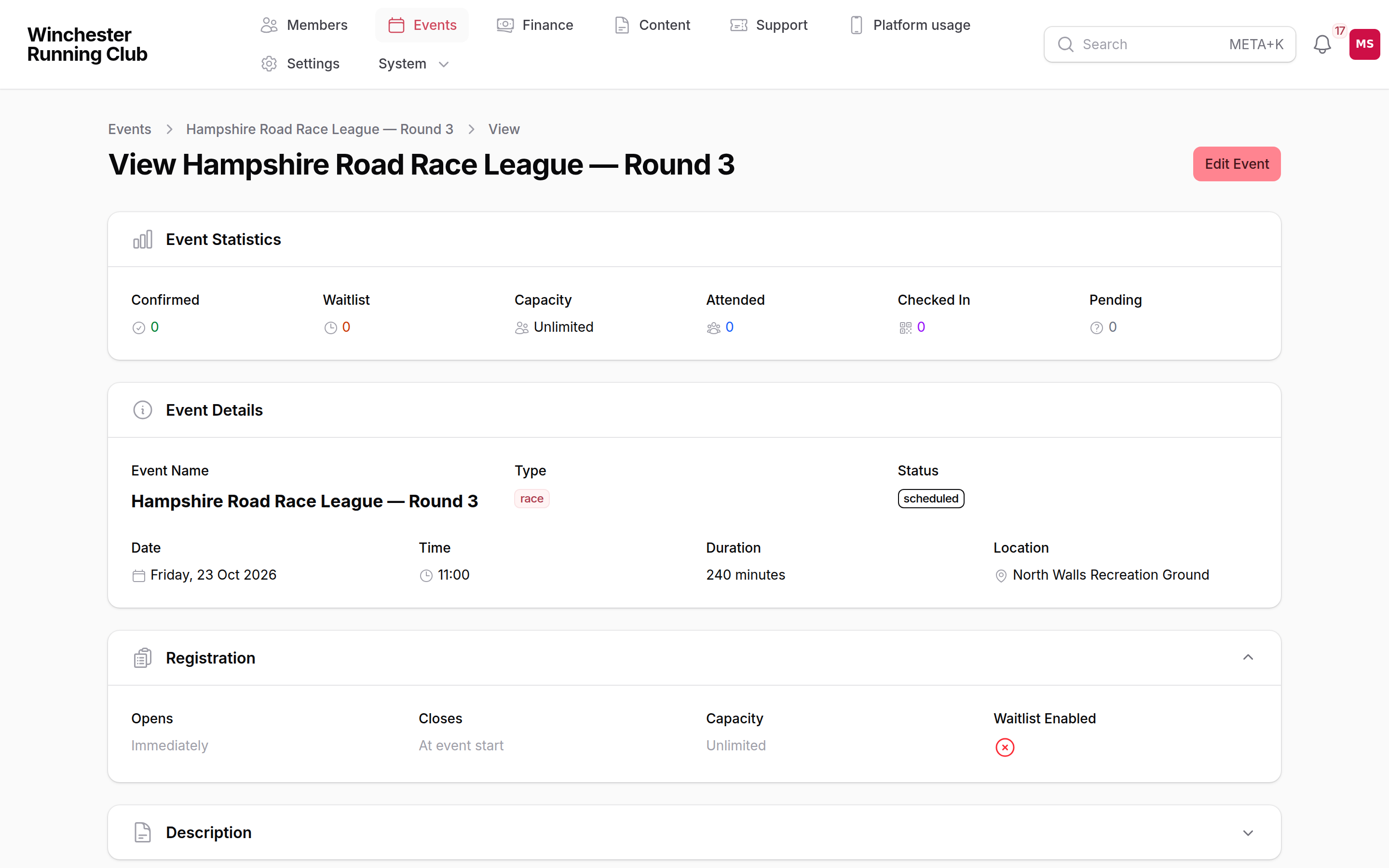
a fixture and the races that belong to it
Recurring series
A series is a parent event that owns a set of occurrences it generates automatically — weekly, every two weeks, monthly, or a pattern like "first Monday of the month". Every occurrence inherits the series' event kind and is a real, independent event you can edit or cancel on its own without touching the rest.
WARNING
Regenerate Series permanently deletes every existing occurrence and creates fresh ones from the series' current settings. Past occurrences and their registrations are lost, so use it for schedule changes, not for a one-off edit.
Changing an event's kind
Before anyone registers, the kind is freely editable from the event's edit form. Once someone has registered or been added, it locks — changing behaviour underneath people who have already signed up would be unfair. A Change Event Kind action lets an admin make that change deliberately even so, clearing whatever the new kind forbids and keeping existing registrations.
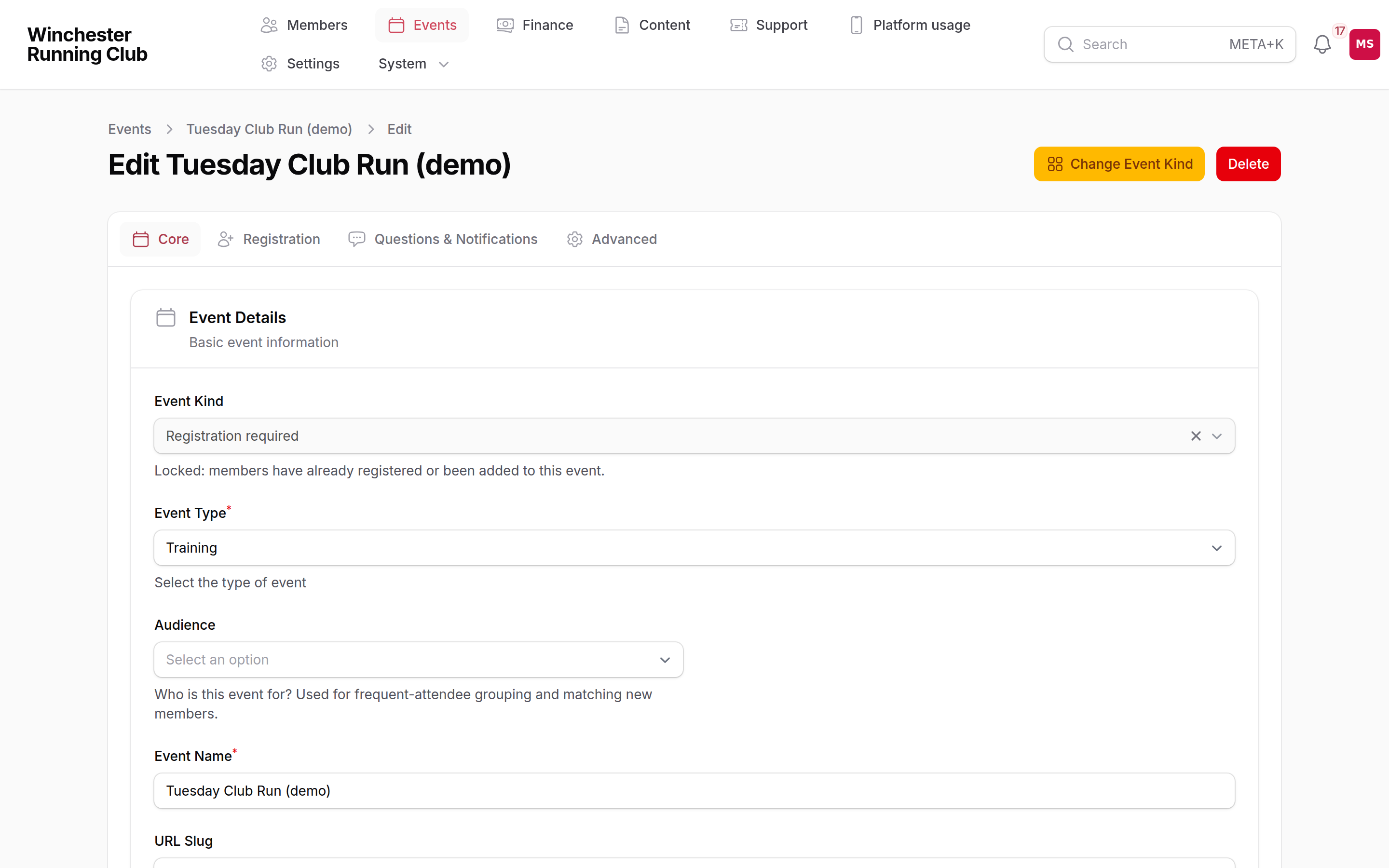
The Event Kind selector on an event's edit form
Registration, capacity and bookings
Capacity is real and enforced, but only for Registration required and Ticketed events — the two kinds where the club controls sign-up.
- No overselling. Two people booking the last place at the same time cannot both get in.
- A booking is one unit. A member and any household members or guests on the same booking count together against capacity, and are never split.
- An unpaid Ticketed booking holds its place until its payment deadline, then the hold releases and the place goes back to the waiting list. The deadline is decided when the booking is made and named in every email about it, so it never moves. We send a reminder before it passes, and we never release a place without having warned the member first.
- A full event with a waitlist enabled takes further bookings onto it instead of turning them away, as whole bookings, promoted first-in, first-out when a place frees up. A promoted booking on a paid event gets an invoice with its own deadline and a link that pays it without signing in. Turn on Send Promotion from Waitlist Email if you'd like promoted members emailed automatically; leave it off to tell them yourself.
- A place that frees up close to the event is confirmed, not held. If there isn't time to give the member the minimum window to pay before the event starts, the place is theirs and the fee is collected afterwards. Releasing a place the morning of an event rarely finds anyone else in time, and it takes it from someone who would have turned up and paid.
Guests and custom questions are Ticketed-only, alongside payment. Guests count against capacity with the member who brings them. Each guest is a named place of its own. You can check one in or refund one without touching the rest of the booking.
A ticket gets its holder a QR code for check-in. It is the one ticket a member ever reads about.
External events
The organiser's own entry fee, entries window and field limit — not the club's — are set on the event after creation, on its edit form. Entry fee is what an entrant pays, entered in pence (2350 for £23.50); add an England Athletics discount fee too only where the organiser genuinely publishes a second, cheaper price. The club takes no money and holds no places for an external event. Members mark that they plan to attend, then enter on the organiser's own site.
When a member adds their own race
A member can add an external race themselves from the member app. It lands in the console's Events tab as Awaiting listing for the club to answer: List puts it on the club calendar and announces it; Decline leaves it exactly as it was — a genuine plan for the members who already opted into it — with a reason recorded against the decision.
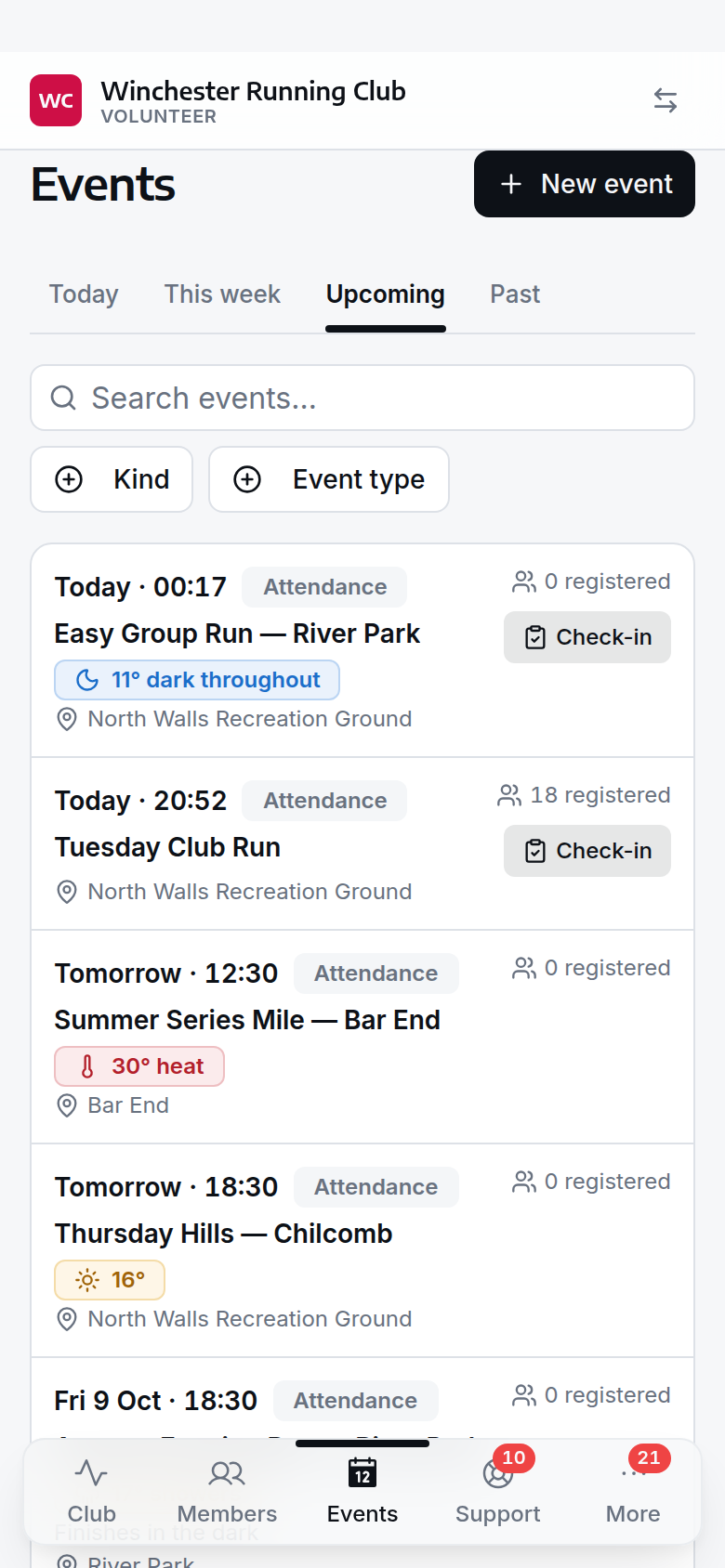
the console's Events tab, with a member-added race awaiting the club's answer
On the day
Check-in is how attendance gets recorded — see Check-in for running the door. From the console's event page, a Manage Check-ins button opens the desk, and the same page lets you Add attendee for a walk-up who wasn't registered, straight away and without touching capacity, exactly as check-in does.
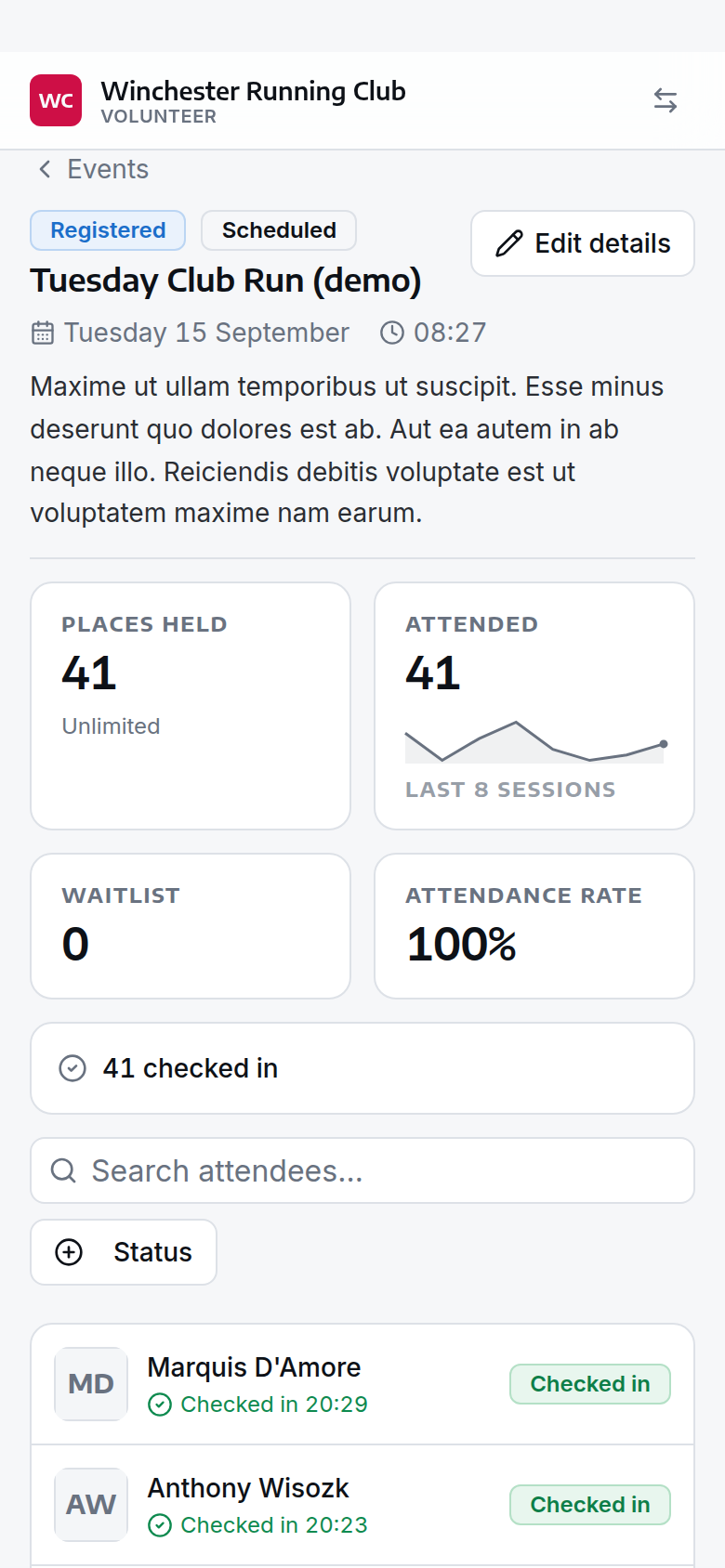
An event's page in the console, on the day
Working from the admin panel instead? An event's Participations tab holds the same tools, plus the ones that correct a mistake after the fact: Check In, Undo Check-In, Attendance (to set someone Attended, Absent or Partial by hand), Results, Add Registration, and Refund & Cancel.
On a paid event, Add Registration asks what to do about the fee. It offers to raise an invoice at the event's own price, and does so unless you choose No charge. A member is billed through whoever pays for their household. A guest has no member record, so you name the member their fee goes on. A place you add is confirmed, not held: if the invoice isn't paid we send reminders, but the place is never released for it. A place that lands on the waitlist is not charged — its invoice comes when the place does.
Add Registration won't add someone who already holds a place. A place that was cancelled or declined doesn't count, so you can add that person back, as long as the event still has room. Members follow the same rule when they sign up themselves.
After the event
Record a Race event's results from its Participations tab. Clearing anything imported results couldn't confidently match — accepting a suggestion, saying who ran, or adding a result by hand — is the results queue, a different job: see Reviewing results and records. Team placings for a league or match go on the event's Team Results. What gets recorded flows through to a member's Results page and, where it beats one, the club records queue — see Results and club records.
To cancel an event, set its status to Cancelled. Members see it marked cancelled, but nothing is emailed automatically — send a message yourself if members need telling. Refund and release each registered place individually with Refund & Cancel on the Participations tab; see Payments → Refunds for how that works.
Calendar feeds
Three ways an event reaches a calendar app: the whole club's public feed, one event's own download from its page, and a member's personal feed of what they're going to — a token-based link a member gets from their account and can regenerate if it's ever shared by mistake. Every feed updates itself once subscribed; nobody needs to re-download it.
What members see
What a member can do on an event depends on its kind: turn up and optionally add an Attendance-only session to their calendar; register for a free Registration-required event, joining the waitlist if it's full; register and pay for a Ticketed event, with any guests and questions you've asked for; or mark that they plan to attend an External event and follow the link to enter with the organiser. A member can also add their own race — it goes onto their own calendar straight away, and to the club's once you list it.
Where your club has the weather beta switched on, an event within about a week also carries what the conditions are expected to be while the session runs, and what members might want to bring. It is a forecast shown beside the event. Whether a session goes ahead is still your club's call, and still something you tell members yourselves.
Members read about entering, tickets, refunds and the weather on an event in the help library, not this page.
Settings
| Setting | What it controls | Where |
|---|---|---|
| Trial events limit | How many events a prospect can attend before they're prompted to join | Settings → Registration |
| Minimum runner age | The youngest age a member can be registered to run | Settings → Registration |
| Minimum self-registration age | The youngest age a member can register themselves, unassisted | Settings → Registration |
| Confirmation and waitlist emails, auto-transition, early-arrival window | Per event, on the wizard's Advanced Settings step | The event itself |
| Weather on events | Whether an event shows the forecast conditions for the hours between its start and end time. Beta, and off until we switch it on with you | See Weather on events |
| The event's location | The place a forecast is for, and what members navigate to. An event with no pinned location shows no conditions | Events → Event Configuration → Locations |
| Cancellation & refund policy | The full-refund and partial-refund cutoffs, the partial percentage, and a flat cancellation fee, refunded automatically when a member cancels their own paid entry. Defaults to no refund at all — see Payments → Refunds | Settings → Events |
| Unpaid places | How long someone has to pay for a place, how far ahead of the event that window closes, and the minimum window nobody gets less than. Seven days, closing a day before the event, and never under 48 hours | Settings → Events |
Troubleshooting
I can't add capacity or payment to an event
Those settings only exist for Registration required and Ticketed events. Change the event kind first — Changing an event's kind explains when that's still possible.
A field I set has disappeared
You likely changed the event's kind. Whatever the new kind forbids is cleared, and a note on the change tells you what and why.
A member says they can't see an event
Check its audience — it may be tagged for a group they don't match on age or gender — and that it's actually Open for Registration, not still a Draft.
I can't change an event's kind
Once someone has registered, the kind locks. Use Change Event Kind from the event's header if you genuinely need to change it anyway; it clears whatever the new kind forbids and keeps existing registrations.