
Appearance
Move a member between households
Use this recipe when a household changes. An adult child joins the household of their partner. Two households merge after a marriage. Two people who each joined the club on their own now want to pay together. This recipe moves a member out of one household and into another household.
If the member goes out on their own, use Separate from Household on their record.
Who: Club Admin or Membership Manager. Where: admin panel. Takes: about a minute.
Before you start
- Check whether a renewal payment is with the bank for either household. RunClub HQ refuses the move while a payment is with the bank, and tells you so. Wait for the payment to clear or fail.
- Check for emergency contacts that name a person the member leaves behind. These do not update themselves. Afterwards, check the emergency information of the member.
Steps
- Open the member from Members → Members.
- Choose Move to Another Household.
- Search for the household by name or by the surname of the person who manages it.
- Set the role of the member in the new household.
- If the member manages a household where other people still live, choose who takes it over. This person needs a sign-in, because the owner is the person who pays.
- Enter the reason, for the record. Confirm.
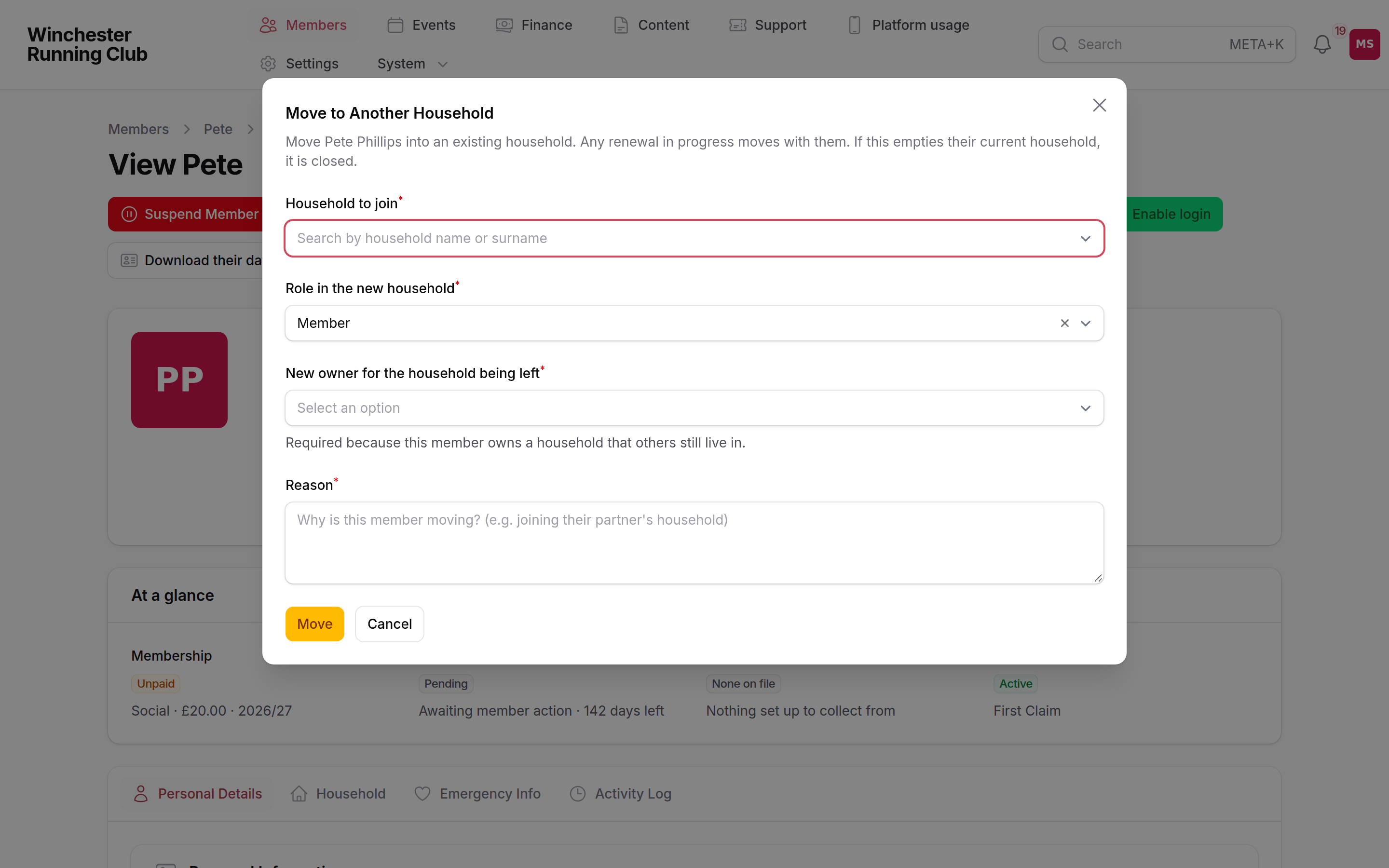
The Move to Another Household form with the household search and the successor picker
You can do the same from the other household. Open the household that the member joins. Use Add Existing Member on its Household Members tab. That action offers only people who live on their own. Moving a person out of a shared household needs the successor question that the form above asks.
What happens next
The member appears in the new household immediately and leaves the old household. If the old household is now empty, RunClub HQ closes it. Both changes go to the activity log of each household.
The membership, results and payment method belong to the member, not to the household, so they move with the member. A renewal in progress moves with the member. It moves onto the renewal of the new household, or onto a new renewal if the new household has none. The new household has not agreed to that total, so the renewal waits for the household to approve it again.
If it does not work
It says a renewal payment is with the bank
A payment for one of the two households is with the bank. Wait for the payment to clear or fail. Then try again.
It asks who takes over and nobody is offered
The household that the member leaves has nobody who can manage it. An owner needs a sign-in and must be old enough to hold one. Give a remaining adult a sign-in first. Then move the member.
I moved the wrong member
Move the member back in the same way. The old household closed when the member left it. Choose the household that the member should be in. You can also use Separate from Household to give the member a household of their own. Check both activity logs to see what else changed.