
Appearance
Consents
A consent is a yes or no a member gives to a specific piece of wording, kept with the date, the version and who gave it — an audit trail, not a preference. Some are required to use the app; some the member can change their mind about at any time. A handful are RunClub HQ's own and sit outside your control; the rest are your club's, in your own words if you want them to be. This page covers setting them up, where members give them, and reading the trail back.
Who can do this?
Editing your club's consents, from Settings → Consent Management: Club Admin only. Anyone who can open a member's record in the admin panel can see their consent history — see Members and households. Members give and review their own consents from the member app.
How consents work
A consent belongs to one of three categories, and the category decides when a member sees it:
| Category | Shown |
|---|---|
| Registration | Joining the club — the registration wizard's Agreements step, or the welcome flow for a member we imported |
| Subscription | The subscription wizard's Agreements step — required consents only |
| General | Profile → Consents, to active members — not tied to any particular step |
Every consent is either required — the member must accept it to continue — or optional, in which case they can turn it on or off from their profile whenever they like. A required consent, once given, cannot be withdrawn from the profile; the product blocks the attempt rather than silently accepting it.
One consent isn't yours to edit at all: the acknowledgement that your club uses RunClub HQ and how the platform itself handles personal data. It's RunClub HQ's own, applies everywhere, and doesn't appear in your settings. Everything else — your Privacy Policy, your Constitution, your Code of Conduct, anti-doping, photography, and marketing — is yours, and starts out in words we've drafted but is yours to change.
Setting up your club's consents
Your club doesn't start with an empty list to fill in. The moment your club was set up, six ready-made agreements were created for you — the ones above, minus RunClub HQ's own — each already active and already being shown to members exactly as described. Settings → Consent Management is where you find them, not where you build them from scratch.
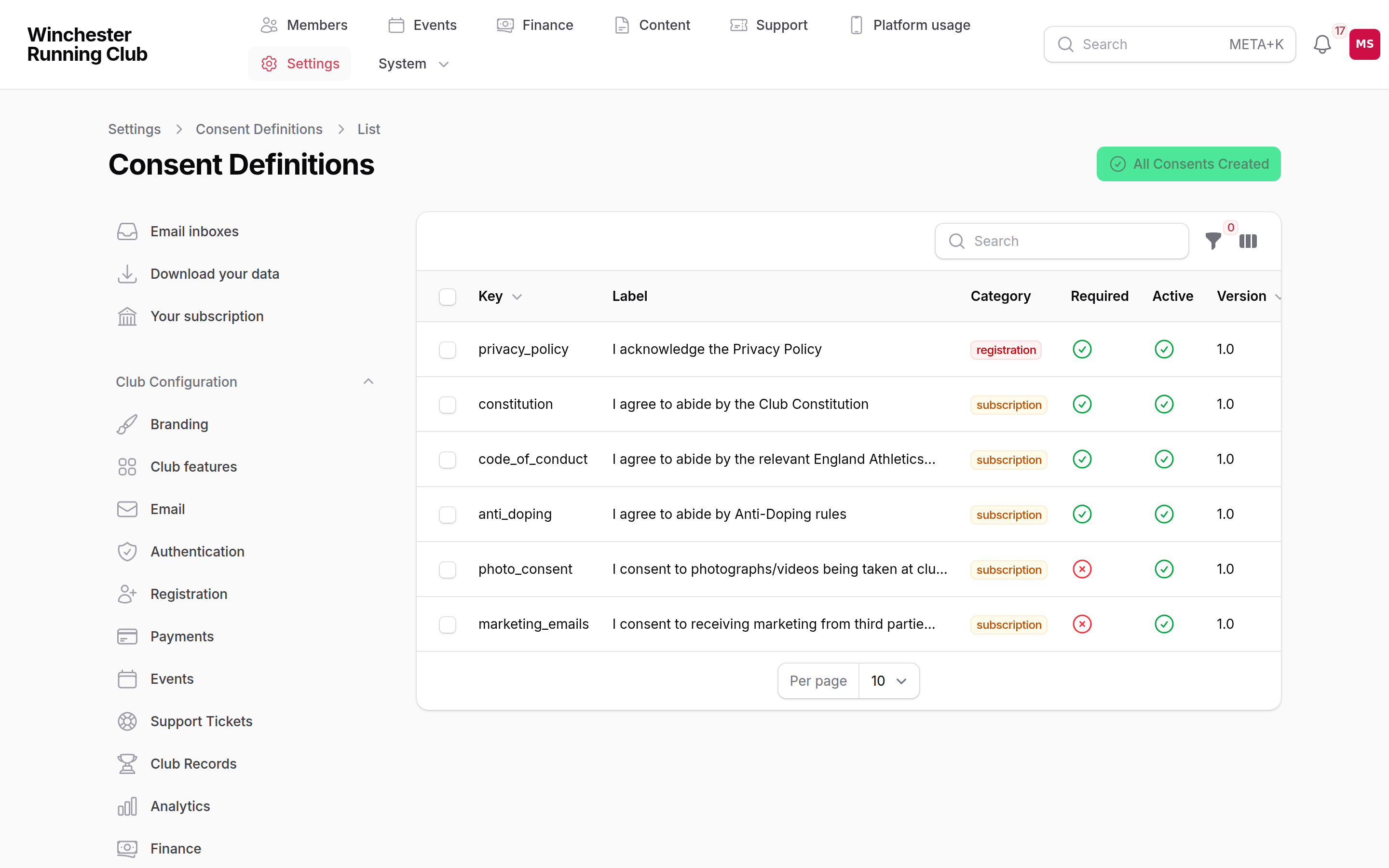
Settings → Consent Management — every agreement your members see, and whether it's required
To make one your own:
- Open it from the list and choose Edit.
- Change the Display Label (what members see as the heading) and the Description (the full text, in a rich editor) — use a merge tag from the list below if you want it to pull in club details automatically.
- Adjust Category, Required Consent, Active or Display Order if you need to.
- Preview shows it exactly as a member would read it before you save.
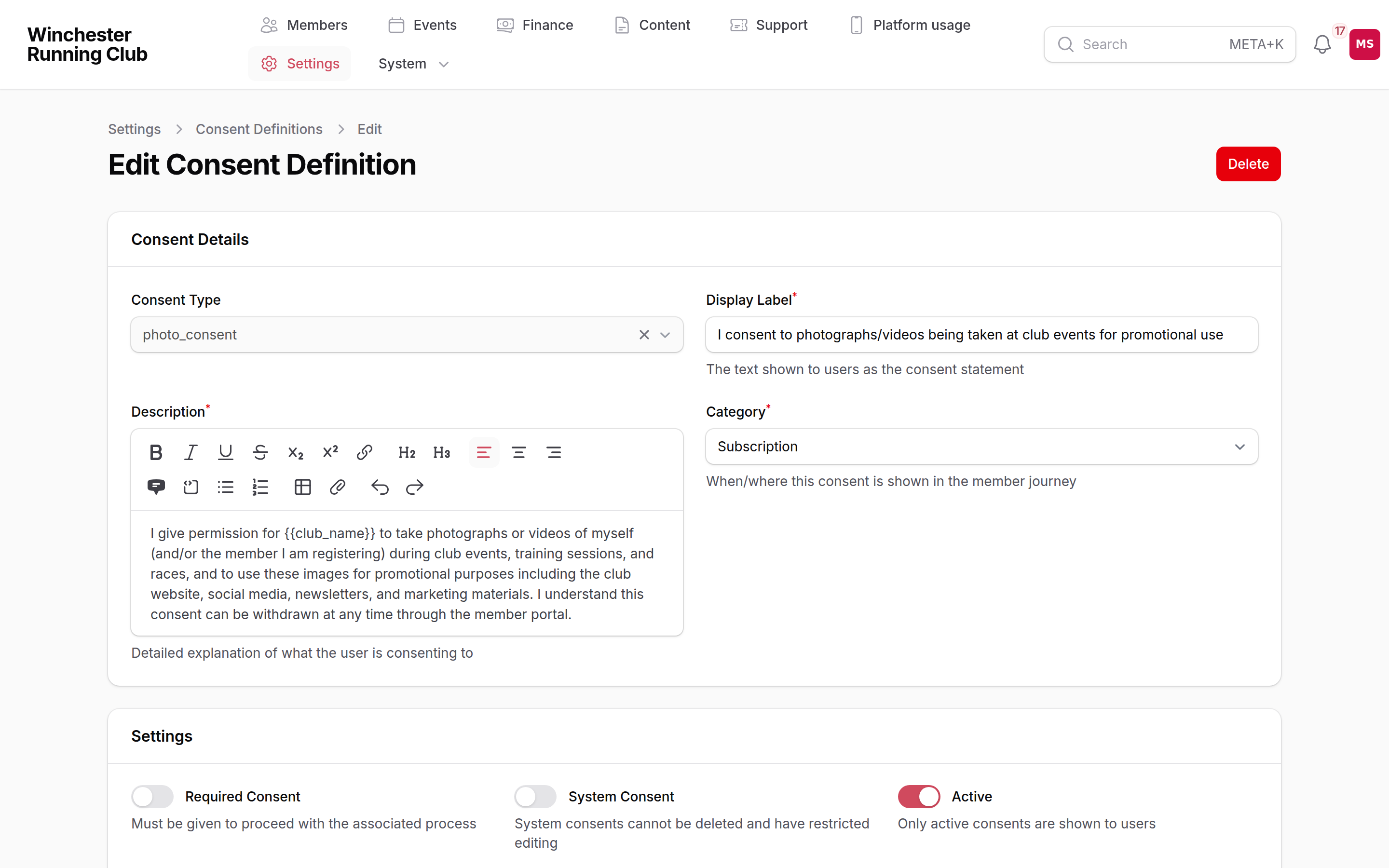
editing a consent — the exact wording a member will read
Reset to Default
If you've customised one and want RunClub HQ's original wording back, Reset to Default appears on any consent you've edited — it only shows once there's something to reset.
Merge tags available in the label or description:
| Tag | Fills in |
|---|---|
| Your club's name |
| The member reading it |
| Your Settings → Branding contact email |
| The matching link from Settings → Branding, if you've set one |
| RunClub HQ's own address |
| Today's date |
Changing wording that members have already agreed to
- Open the consent and choose New Version. This deactivates the current version and creates a new, active one with the version number incremented.
- Edit the new version's label and description to the updated wording.
Nobody is automatically asked again
Creating a new version changes what a member who hasn't yet given that consent will read. It does not, on its own, prompt a member who already agreed to the old wording to look at it again — there's no in-app re-ask today. If the change genuinely needs everyone's fresh agreement, you'll need to message members about it directly.
What members see
Members review everything they've agreed to, and turn optional ones on or off, from Profile → Consents in the member app. A required consent shows there too, but it's locked — unticking it isn't offered, because withdrawing it isn't a settings change, it's a membership one.
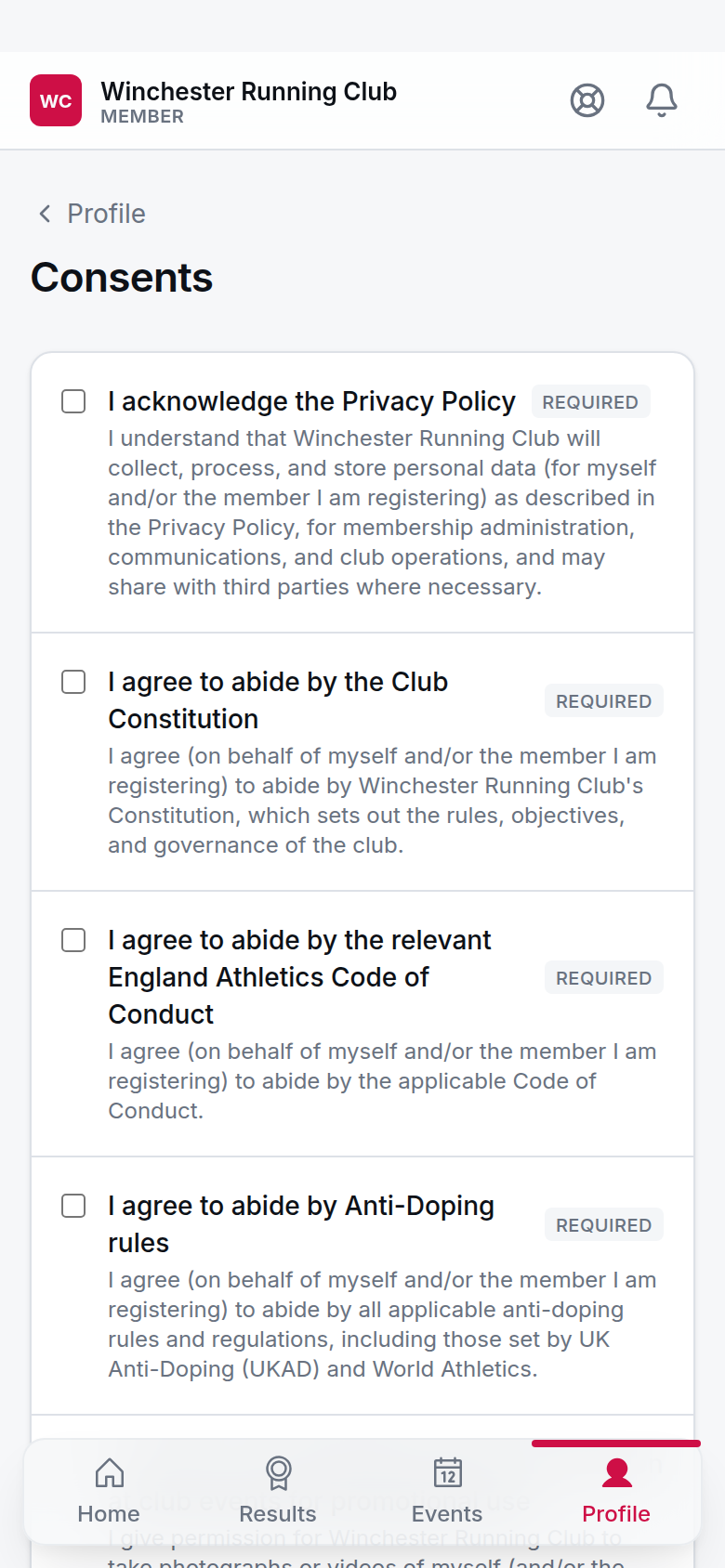
Profile → Consents — what's been agreed, and what can still be changed
Registering a junior records the consent against the junior's own record, with the household manager who was actually typing named as who gave it — that's what the Given By column on a member's consent history shows for anyone who didn't consent for themselves.
Email preferences and mailing-list opt-outs are a different thing entirely — not a consent, not versioned, not part of this audit trail. See Communications for those.
Reading a member's consent history
Open any member's record and choose the Consents tab: every consent they've been asked for, whether it's currently given, when, by whom, its version, and — if it's since been withdrawn — when. This is the audit trail; it isn't folded into the general activity log, because a consent is a current state with its history attached, not a stream of events to narrate.
The roster itself (Members → All Members) carries a Consents column showing at a glance whether a member's required registration and subscription consents are in place, and a Missing Required Consents filter to find anyone who isn't square.
Medical and emergency information
There isn't a separate consent for sharing a member's medical details in an emergency. What protects that information is the reveal-with-reason system your Welfare Officer uses — every look is logged against a reason, whether or not the member has agreed to anything else. See the Welfare officer playbook for how that works.
Troubleshooting
A member keeps landing back on the agreements step
Signing in doesn't ask for consents again once they're given — it's a one-time gate. If someone keeps seeing it, they haven't actually finished: they're leaving the Agreements step without submitting, so the next sign-in sends them straight back to finish it, not a fresh copy of it.
A member wants to withdraw a required consent
They can't, from their profile — the product refuses the change, and the checkbox is locked so they can't even try. That's what required means. If a member genuinely no longer agrees to something required, that's a conversation about their membership, not a setting to flip.
We changed a consent and nobody was asked again
That's expected today, not a fault — see the warning under Changing wording that members have already agreed to above.