
Appearance
Welfare Officer playbook
This is for your club's Welfare Officer, and for a Club Admin standing in for one. Emergency and medical information is the most sensitive data the club holds, so every look at it needs a reason and is written to a log the committee can read — that's what shapes the rest of this page. Five minutes to read.
What you can do
- Find any member and, with a reason, reveal their emergency contacts and medical details from the console — the look you need on the night
- See at a glance, across the whole club, who has something on file and how long ago it was last updated — the admin panel's sweep
- Remove a record that's no longer needed
- Read the Emergency Access Log — who's opened a member's information, when, and the reason they gave
Where you work
The console, Members tab (see The volunteer console if you haven't used it before). This is where you find a member and reveal what they've told the club — it works on your phone, standing up, which is what a session or a race needs.
The admin panel, Members → Emergency Information and Members → Emergency Access Log. Emergency Information doesn't show the detail — it shows who has something on file and how stale it's getting, which is what a sweep needs. The actual content only ever appears through the console's reveal, with a reason.
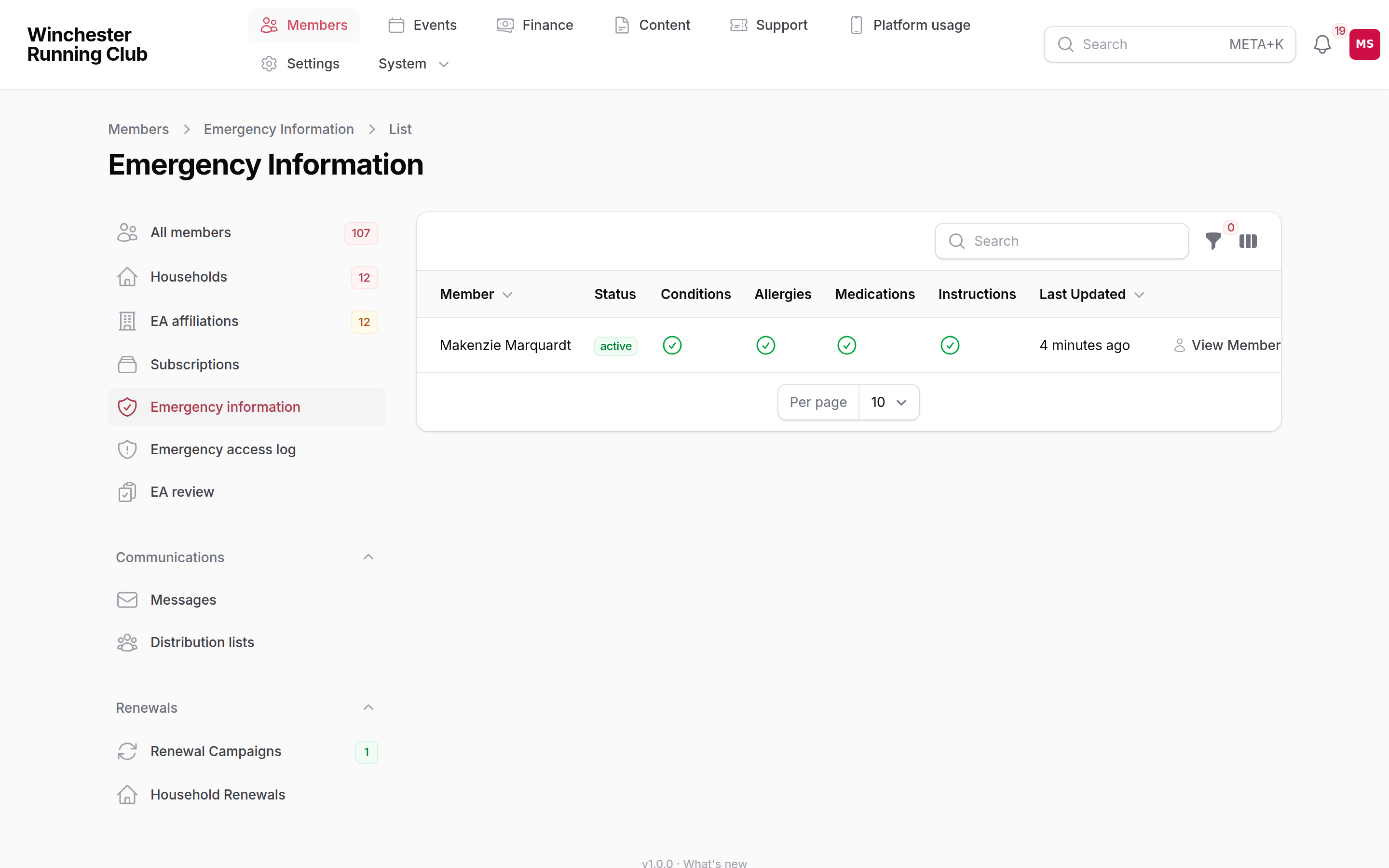
Members → Emergency Information — who has something on file, and its age
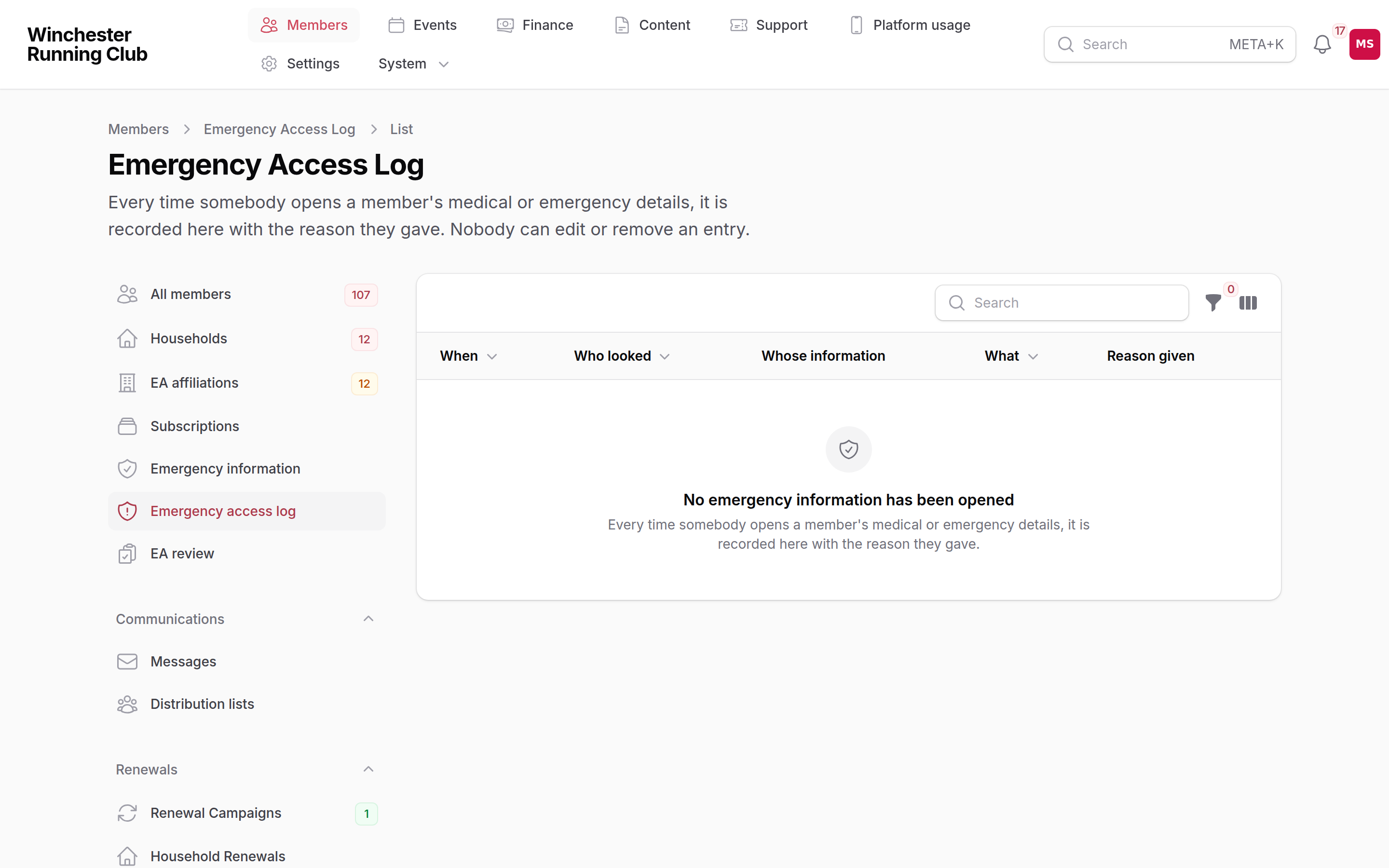
Members → Emergency Access Log — every reveal, with the reason given
Before the season
Open Members → Emergency Information and filter to Needs Review (> 6 months) to find records going stale, or Has Medical Conditions / Has Allergies to see who's flagged something. The Age column goes amber past 90 days and red past 180, so a scan down the list is enough to see where to follow up.
A member with nothing recorded at all doesn't need chasing by you — their own dashboard prompts them to add it, and again every year to confirm it's still right, until they do.
Everything here belongs to the member: they — or, for a junior, their household manager — add and update it themselves, at Profile → Emergency contacts and Profile → Medical information in the member app. Nobody on the committee edits it for them; if a record is wrong, ask the member to fix it.
Deleting a record cannot be undone
If a medical record is no longer needed, open it from the list and delete it. The member starts with nothing on file again, and is prompted to add it fresh next time they're asked.
On the night
- Open the console and go to Members.
- Search for the member and open their card.
- Tap Access emergency information, shown under Emergency information whenever they have something on file, and give a reason for looking — at least 10 characters; "checking before the race" is enough. This is logged against your account.
- Tap Reveal to see their emergency contacts in priority order, then Conditions, Allergies, Medications, Emergency instructions and any other notes — whatever they've told the club.
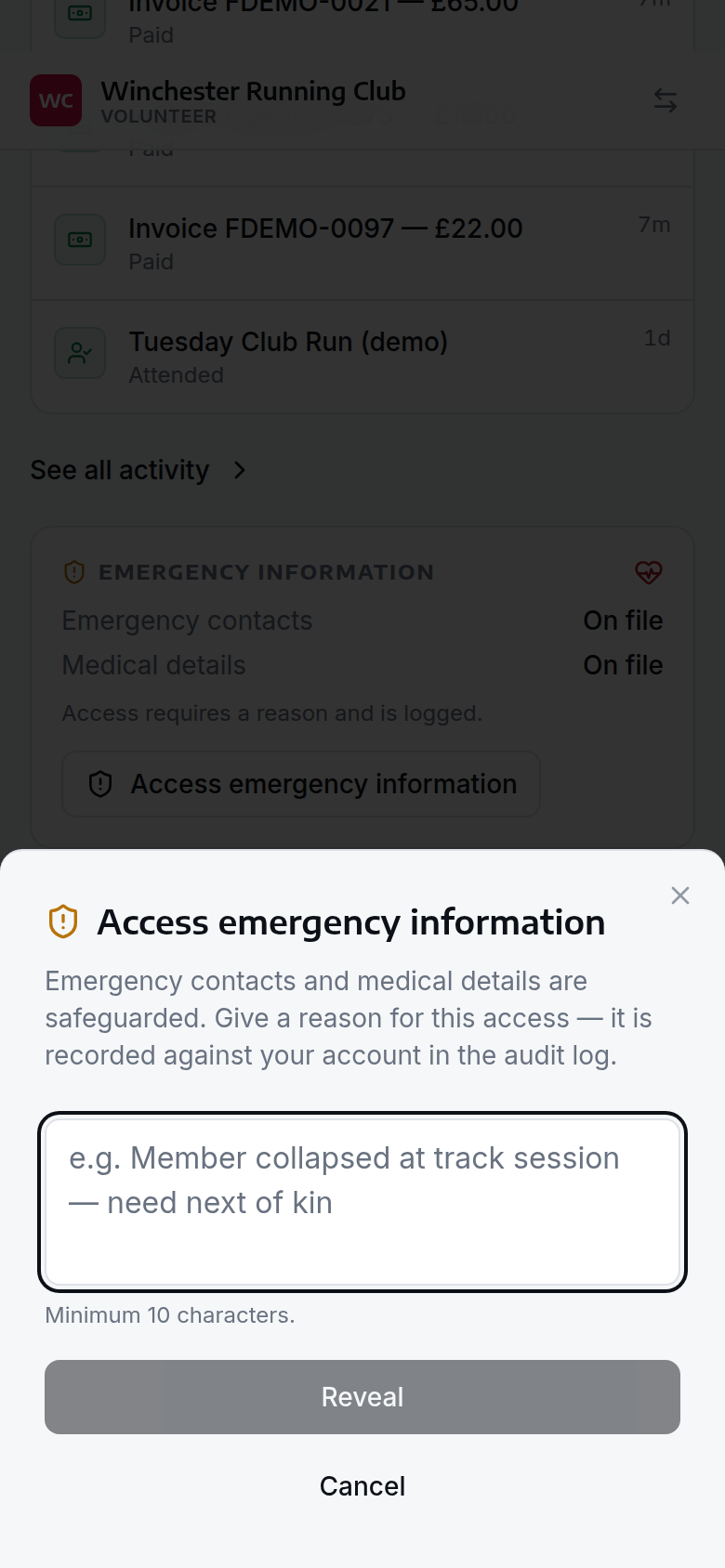
Access emergency information — a reason is required, and every reveal is logged
If something goes wrong
You can't see Emergency Information or the Emergency Access Log
Ask your Club Admin to check you hold the Welfare Officer role, from Settings → Admin Users.
The reveal button isn't there on a member's card
Welfare Officer, Club Admin, Membership Manager and Check-in Manager can all reveal emergency information. Other roles can see only whether something's on file, never the detail.
A member's contact or medical details are wrong
Only the member — or their household manager, for a junior — can change them, at Profile → Emergency contacts or Profile → Medical information in the member app. Ask them to update it; you can't do it for them.
A contact is another member who's since left the club
Their name and number still show — nothing removes a linked contact automatically when someone leaves. Ask the member to swap it for someone current if it's out of date.
What you cannot do
- Edit anything else on a member's profile
- Take payments or run renewals
- Add or change a member's emergency contacts or medical details for them — only they, or their household manager, can
- See another club's members