
Appearance
Give an imported member a sign-in
Your England Athletics import creates a full record for each person. Another household member can also add a person. A person added in either way cannot sign in yet. This is deliberate. A roster is not a mailing list. RunClub HQ sends nobody an email until you decide to send one. Use this recipe to give one person a sign-in.
Who: Club Admin. Where: the admin panel, the record of the member. Takes: about 1 minute.
Before you start
Find the email address of the member. Enable login shows only for a member who has no sign-in and is 13 or older. A younger member needs a household manager to act for them.
To give several people a sign-in at one time, select them from the roster. Then use the bulk Enable login action. Do not do this one person at a time. See Members and households → Give a member a sign-in.
Steps
- Open Members → All Members and find the member. Open their record.
- Choose Enable login.
- Enter the Email address that the member signs in with.
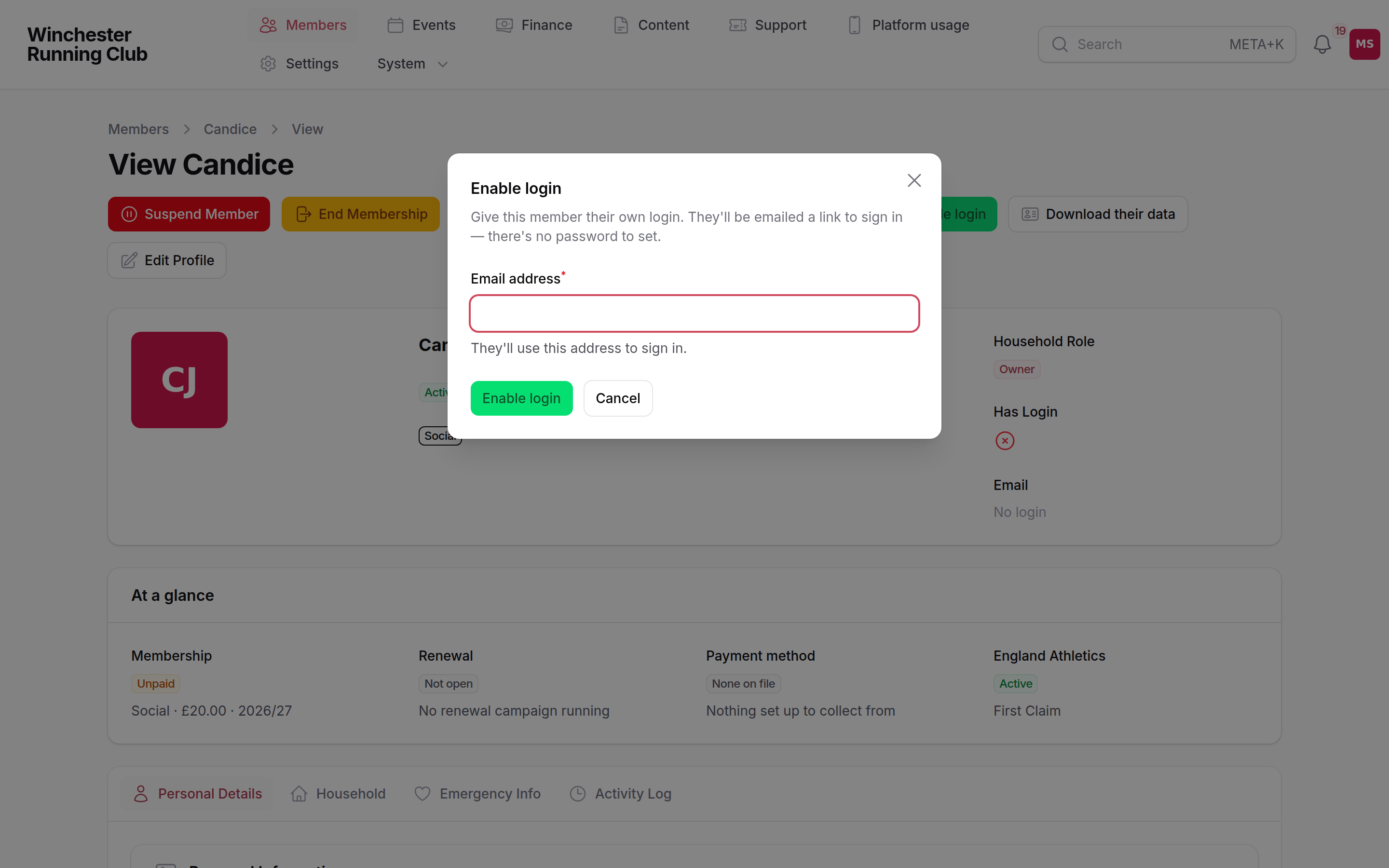
- Confirm. The page shows Login enabled and the email address that the invitation went to.
What happens next
- RunClub HQ emails the member a link to sign in. There is no password to set.
- England Athletics already gave us their details. The wizard does not ask for these details again. The member does not enter a name or a date of birth. The wizard asks only for information that England Athletics does not give us. This is the running interests of the member and the agreements of the club.
- A sign-in does not change the membership status of the member. The status stays the same until the member joins. It is most often Prospect.
If it does not work
Enable login does not appear on their record
The member already has a sign-in, or the member is under 13. Check the date of birth. A member under 13 needs a household manager with a sign-in. If nobody in their household has a sign-in, see Invite a household manager.
The invitation says the club has used all its member logins
During a pilot, your club can create only a limited number of sign-ins at one time. The limit is usually 25. The limit counts sign-ins, not records. An import of four hundred people uses none of the limit until you start to enable sign-ins. Remove a sign-in that you no longer need, or ask us to raise the limit.
They never received the email
Check the address for a typo. Ask the member to check their spam folder. You cannot resend an existing invitation. To send a new invitation, enter the same address again through Enable login.
They say the wizard is asking things they have already told England Athletics
This is expected. The name and the date of birth are locked and filled in from the import. The wizard asks only for what England Athletics does not hold. This is the running interests of the member and the agreements of the club.
See also
- Getting your members in: the England Athletics import that this member probably came from
- Members and households: the everyday member jobs, including how to give many members a sign-in
- Bulk-welcome imported members: how to pace many invitations at one time